Integration With fastlane Plugin
fastlane is a CI/CD tool to automate beta deployments and releases for Android and iOS apps. It is an open-source platform for Android and iOS app deployment. It will take care of all the tasks like testing, generating screenshots, dealing with code signing, and releasing your application. Provides integration support with all the major CI systems. Adding the TestMu AI fastlane plugin in Fastfile will help you upload the app to the server and run tests on TestMu AI real devices.
Prerequisites
To get started, please try our fastlane Sample GitHub repository..
git clone https://github.com/LambdaTest/fastlane-android-sample
To upload an app to TestMu AI for app testing, you would need the following things :
-
Make sure you have fastlane installed on the machine. Please refer fastlane docs for installation.
-
TestMu AI Credentials
- Please ensure that you have your TestMu AI credentials handy, including your TestMu AI username and access key. You will need to set them up in the Fastfile. To retrieve these credentials, simply click on the key icon located near the help button on your TestMu AI automation dashboard.
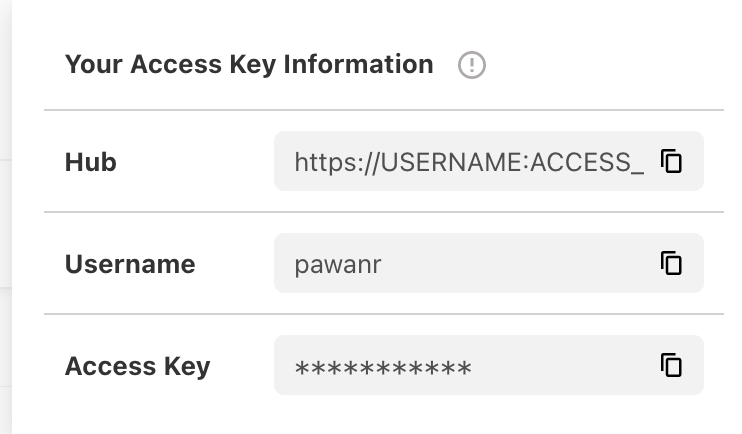
LT_USERNAME="YOUR_LAMBDATEST_USERNAME"
LT_ACCESS_KEY="YOUR_LAMBDATEST_ACCESS_KEY"
Installing TestMu AI fastlane Plugin
Step 1: Add TestMu AI fastlane plugin by running.
fastlane add_plugin lambdatest
Step 2: Add the below action in fastfile in desired lane to upload the app to TestMu AI.
upload_to_lambdatest(
    lt_username: ENV["LT_USERNAME"],
    lt_access_key: ENV["LT_ACCESS_KEY"],
    file_path: "app_file_path"
)
or if you want to used custom_id.
upload_to_lambdatest(
    lt_username: ENV["LT_USERNAME"],
    lt_access_key: ENV["LT_ACCESS_KEY"],
    file_path: "<app_file_path>",
    custom_id: "<custom_id>
)
NOTE: custom_id is an optional field.
Step 3: Once the app is uploaded to TestMu AI, this action will set an identifier to the uploaded app as APP_URL in the environment variable and can be accessed in the test.
String app = System.getenv("APP_URL");
capabilities.setCapability("app", app);
Step 4: Execute the below command to upload app and run tests.
fastlane <lane>

 Chat with Us
 Ask the Community