qTest Integration With LambdaTest
qTest is a comprehensive test management tool designed for Project Management, Bug Tracking, and Test Management. It embraces a centralized test management approach, facilitating seamless communication and accelerating task development across QA teams and stakeholders. With qTest Launch, you can run your automated tests on a variety of devices and real devices provided by LambdaTest.
Prerequisites
-
qTest Host
Setup host for qTest: Download and copy the file agentctl-[version]-mac-x64-full.tgz to a desired installation directory, e.g. /usr/local/agentctl-[version]-mac-x64-full.tgz
Follow this guide for more in-depth information: qTest Host Setup
-
Acquire your qTest API Token
- Login to qTest Manager as an Administrator and access the Resources page.
- Expand the APIs and SDK section.
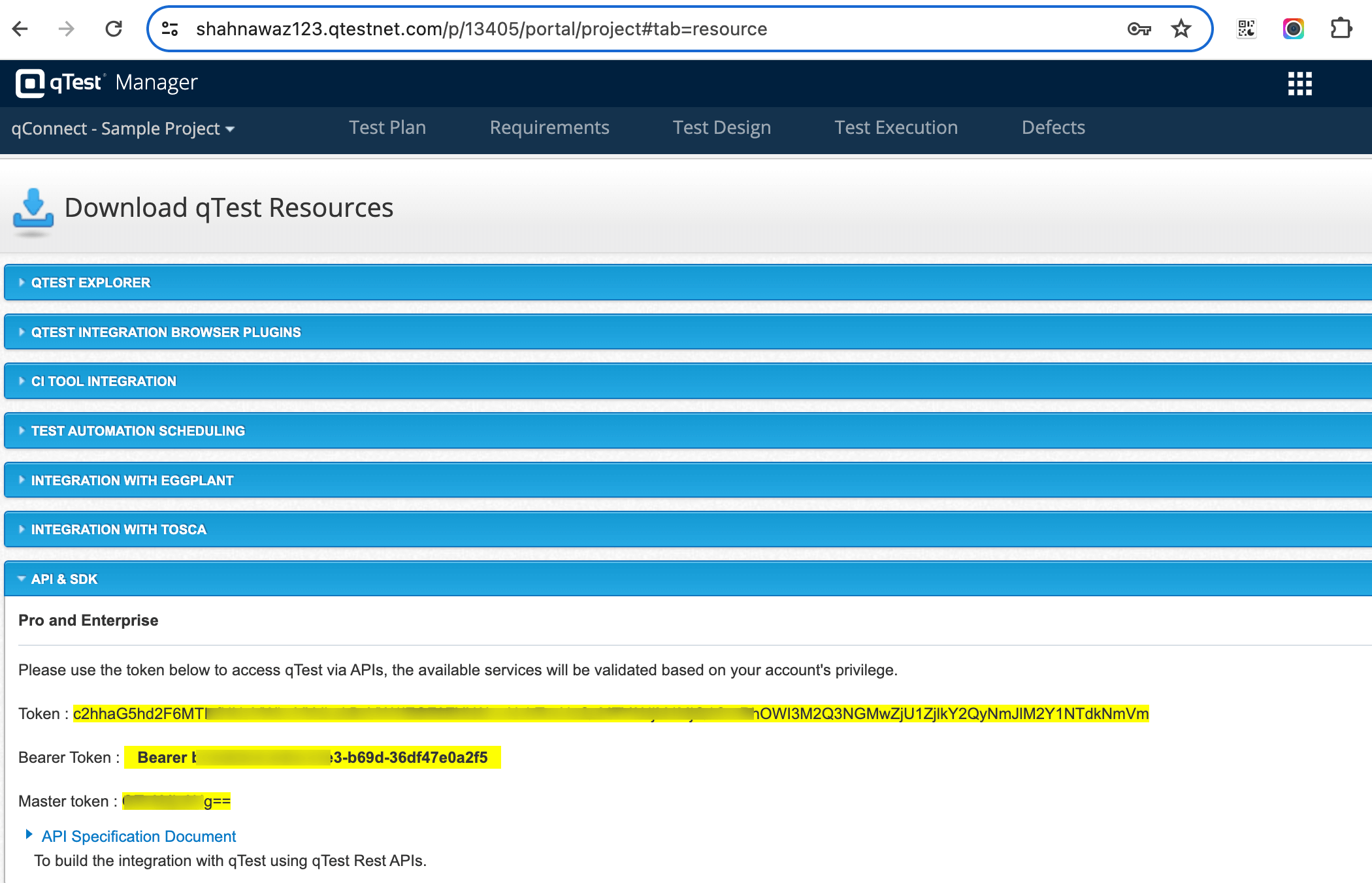
- Setup host and agent
Start the host by running the following command:
/path/to/agentctl-[version]$ ./agentctl start
Navigate to http://localhost:6789 and add your details.
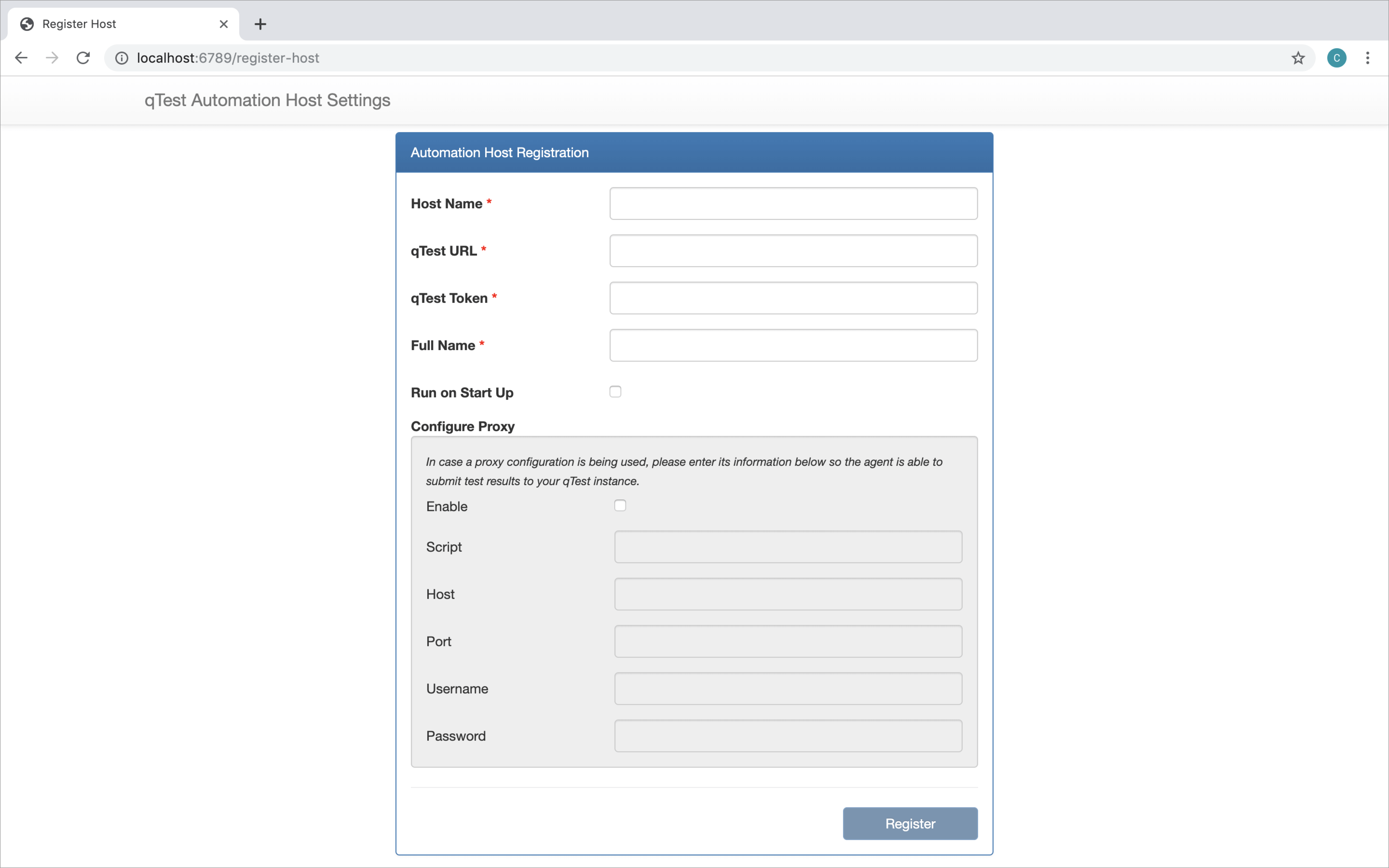
- Run Tests
Now once you have set up host, you can setup agents as per your requirements and run your tests using qTest Launch on LambdaTest.
For example to run Junit Automated tests, you can refer the following github repository: automate-junit-qtest and its readme file for more information.

 Chat with Us
 Ask the Community