Katalon Integration With TestMu AI
Katalon Studio is an automation tool for web, API, mobile, and desktop applications testing. Katalon Studio offers a flexible automation platform that fits teams and projects of any size, for any purpose. It supports users from creating tests, execution, reports to seamless integration with the CI/CD ecosystem.
Katalon Studio offers cross-platform testing — from Windows, macOS, and Linux for web automation, to Android and iOS for mobile automation. It also comes with a built-in intuitive interface for codeless automation testing and validating the UI elements of your web application.
This integration between TestMu AI and Katalon Studio enables you to automate the cross browser testing process through the Selenium Grid of more than 2,000 browsers.
As a result, you’ll be able to expand your test coverage, analyze and extract insightful test reports, and enhance your team collaboration.
How To Integrate TestMu AI With Katalon?
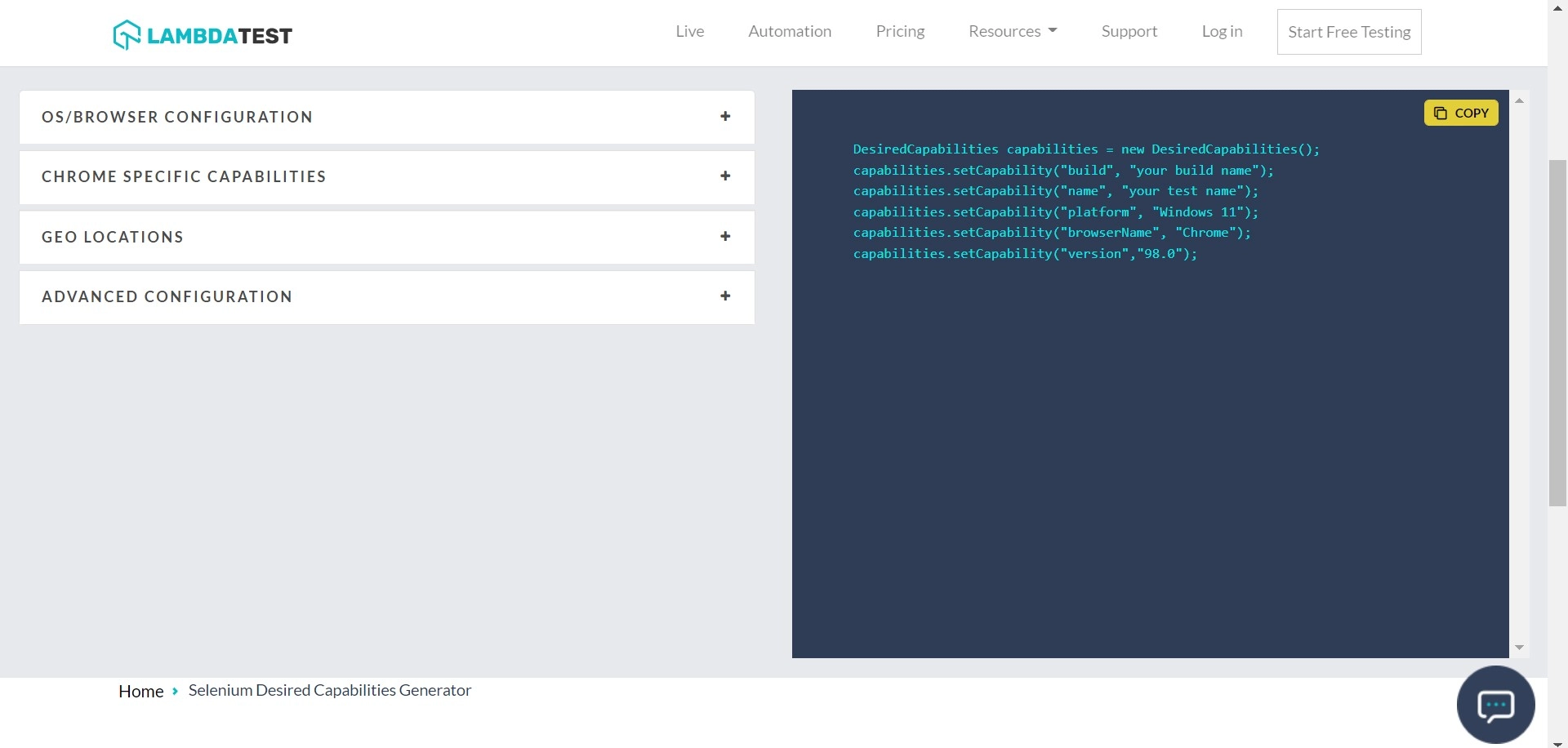
For integrating TestMu AI with Katalon, make sure to run your test scripts through the ‘Remote’ desired capability. You can select all your desired capabilities from TestMu AI Capabilities Generator.
Step 1: Login to TestMu AI. If you haven’t signed up yet, click here.
Step 2: Visit your Profile on TestMu AI to fetch your Username and Access Key value.
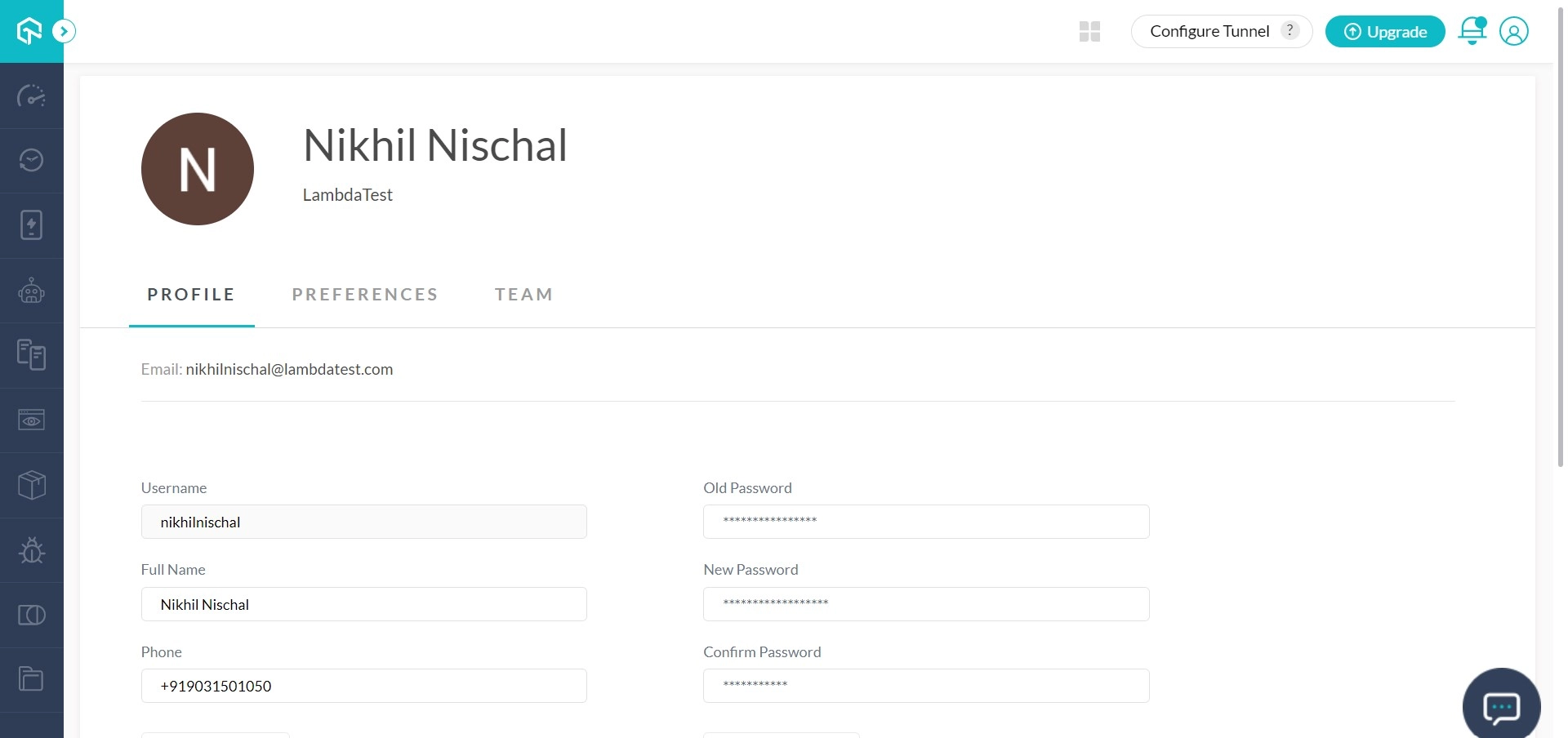
Step 3: You would require these values for generating a secure remote connection with Katalon through TestMu AI remote URL.
Remote URL = "http://username:accessKey@hub.lambdatest.com/wd/hub"

/* Below is an example remote URL based on the image shared above in Step 2.*/

Example remote URL = "http://harshitp:ABCD1234PQRS@hub.lambdatest.com/wd/hub"
Step 4: Visit TestMu AI Capabilities Generator for declaring desired capabilities. For instance, if you wish to test on macOS High Sierra using Firefox browser then desired capabilities for Java frameworks would look like below.
The below execution is set up on Katalon version 5.10.1.

Step 5: In Katalon Studio, open ‘Remote’ settings for passing TestMu AI settings. Go to Project → Settings → Desired Capabilities → Remote.
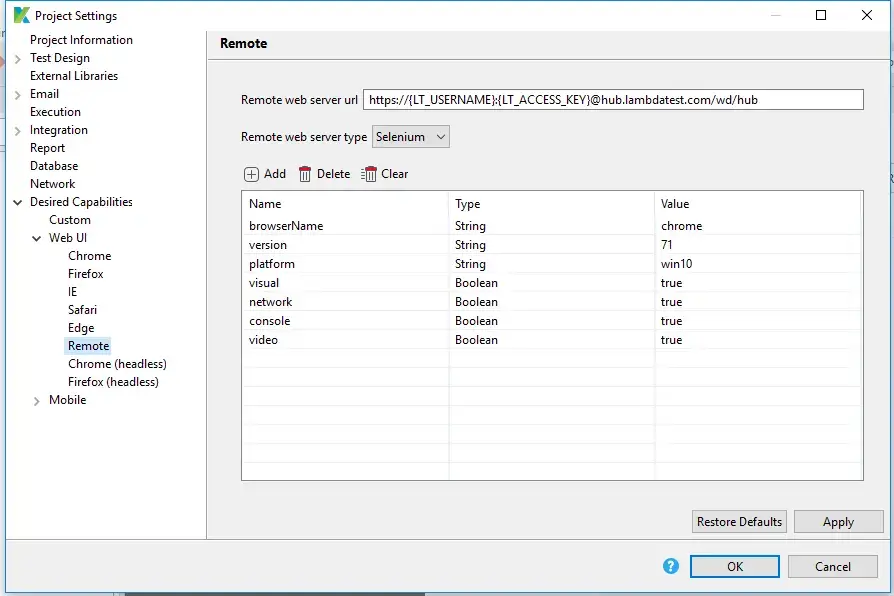
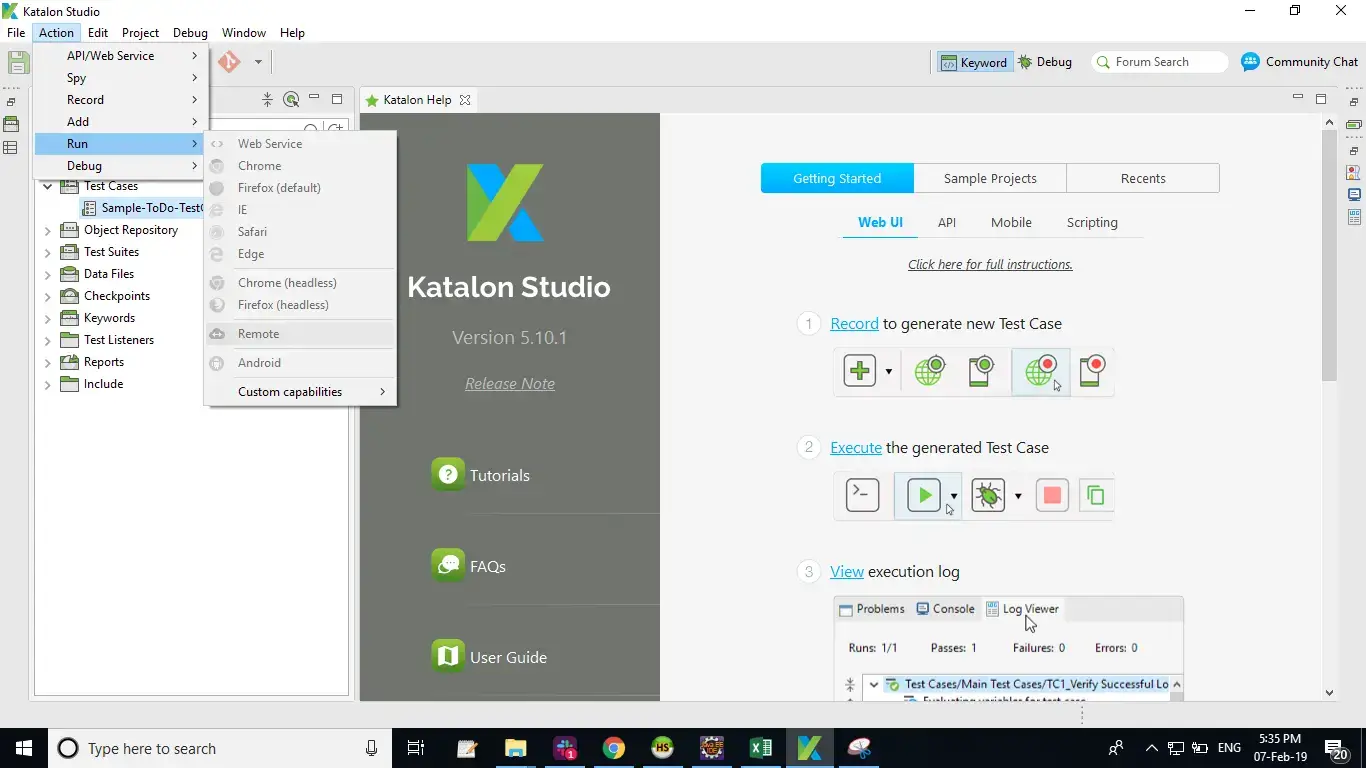
Once you select ‘Remote’ and provide the basic parameters then you only need to execute your automation tests. You can do that by going to Action → Run → Remote.
If you have any questions, feel free to reach out to us through our 24×7 chat support. Happy testing!

 Chat with Us
 Ask the Community