Run Oxygen Automation Scripts On TestMu AI Selenium Grid
Oxygen is an open-source test automation framework offering a low code approach for Selenium and Appium tests. The scripts are based on JavaScript and look almost as plain as English, making them intuitive.
Oxygen supports TestMu AI Selenium Grid, meaning you can configure your TestMu AI account on your Oxygen instance to perform cross browser testing on 3000+ real browser running on real operating systems, on-cloud. That way, you can eliminate the need for configuring in-house Selenium Grid infrastructure and run your Oxygen IDE test over a wider test coverage.
Prerequisites
- Make sure to download the Oxygen framework for your operating system.
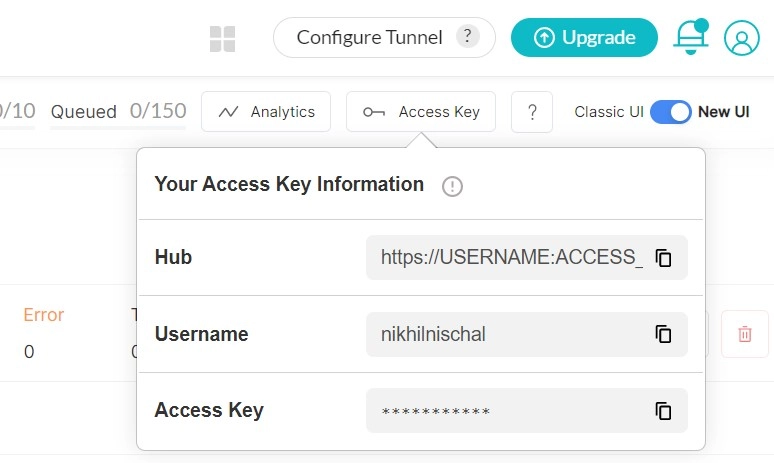
- Retrieve your TestMu AI authentication credentials i.e., your TestMu AI Username, Access Key and Hub URL. You can do so by visiting the TestMu AI automation dashboard and clicking on the key icon near the help button.
Configure TestMu AI Authentication Variables In Oxygen
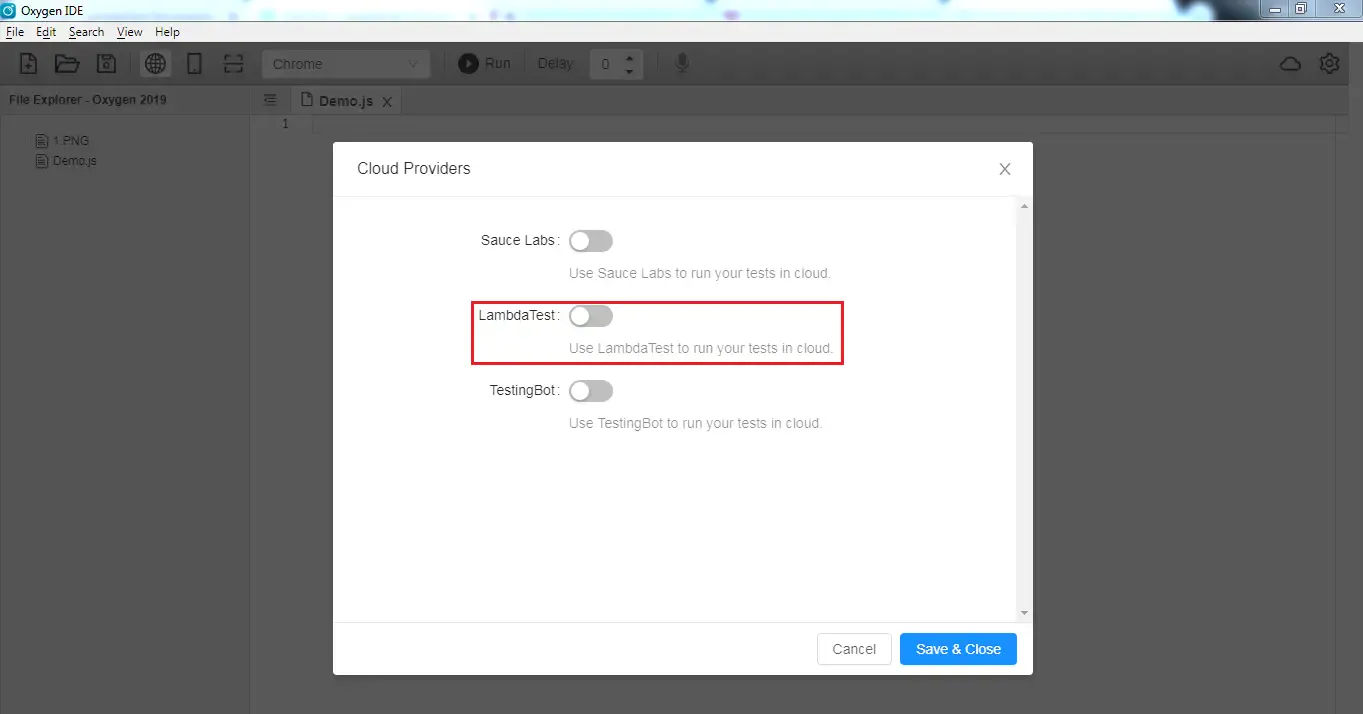
Step 1: Open the Oxygen framework and click on the cloud icon in the upper-right corner.

Step 2: Turn on the toggle for TestMu AI to run your Oxygen automation scripts on TestMu AI Selenium Grid of 3000+ real browsers.
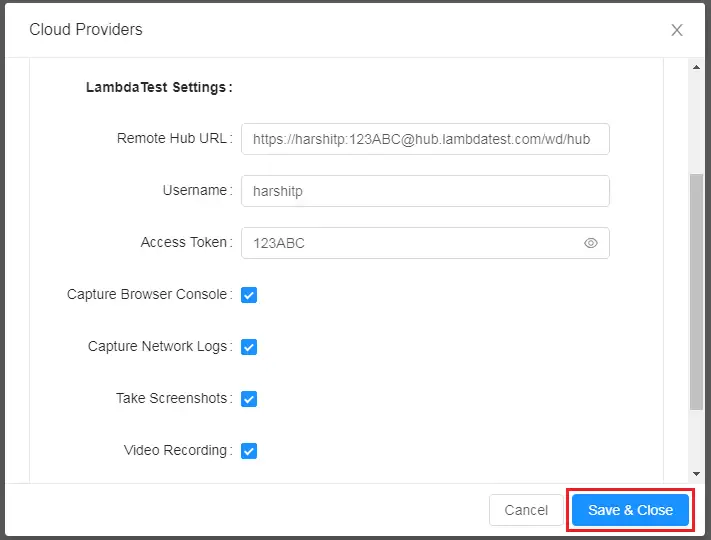
Step 3: Once you turn the toggle on, you need to fill the mandatory fields to run your Oxygen tests on TestMu AI Selenium Grid. These mandatory fields include your Hub URL, your TestMu AI Username, and your TestMu AI Access Token.

You can also Capture Browser Console, Capture Network Logs, Take Screenshots, and do Video Recording for your Oxygen test execution over TestMu AI Selenium Grid by enabling the checkboxes. After selecting the preferred checkboxes and filling the mandatory fields, click on Save & Close.
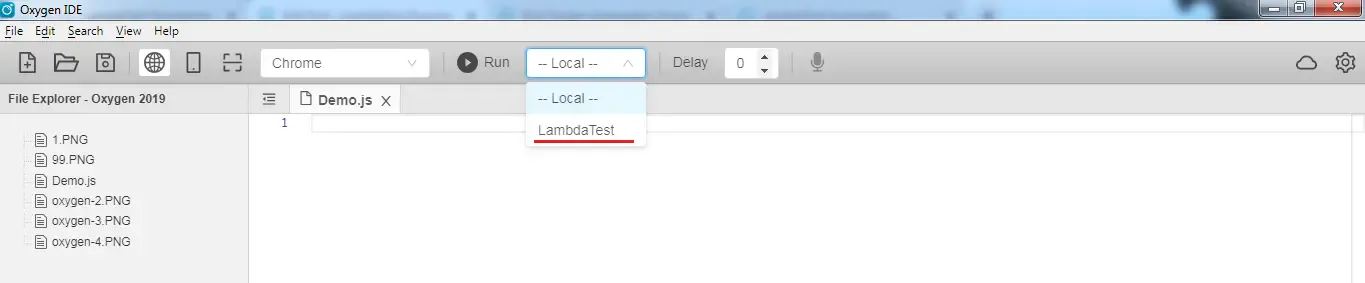
Step 4: You will now find a drop-down beside the Run button, which says Local, indicating that the tests are being executed on your local machine. To run the tests on the TestMu AI cloud, you would need to select the value for TestMu AI.
Kudos! That is all you need to do for integrating your Oxygen framework with TestMu AI Selenium Grid. Now, as you run the test, it would be executed over the Selenium Grid offered by TestMu AI, which would enable you to ensure a sturdy cross browser compatible web-application.

 Chat with Us
 Ask the Community