Importing Modules into Test Cases
To incorporate existing modules into your test steps, simply click on the Modules Icon.
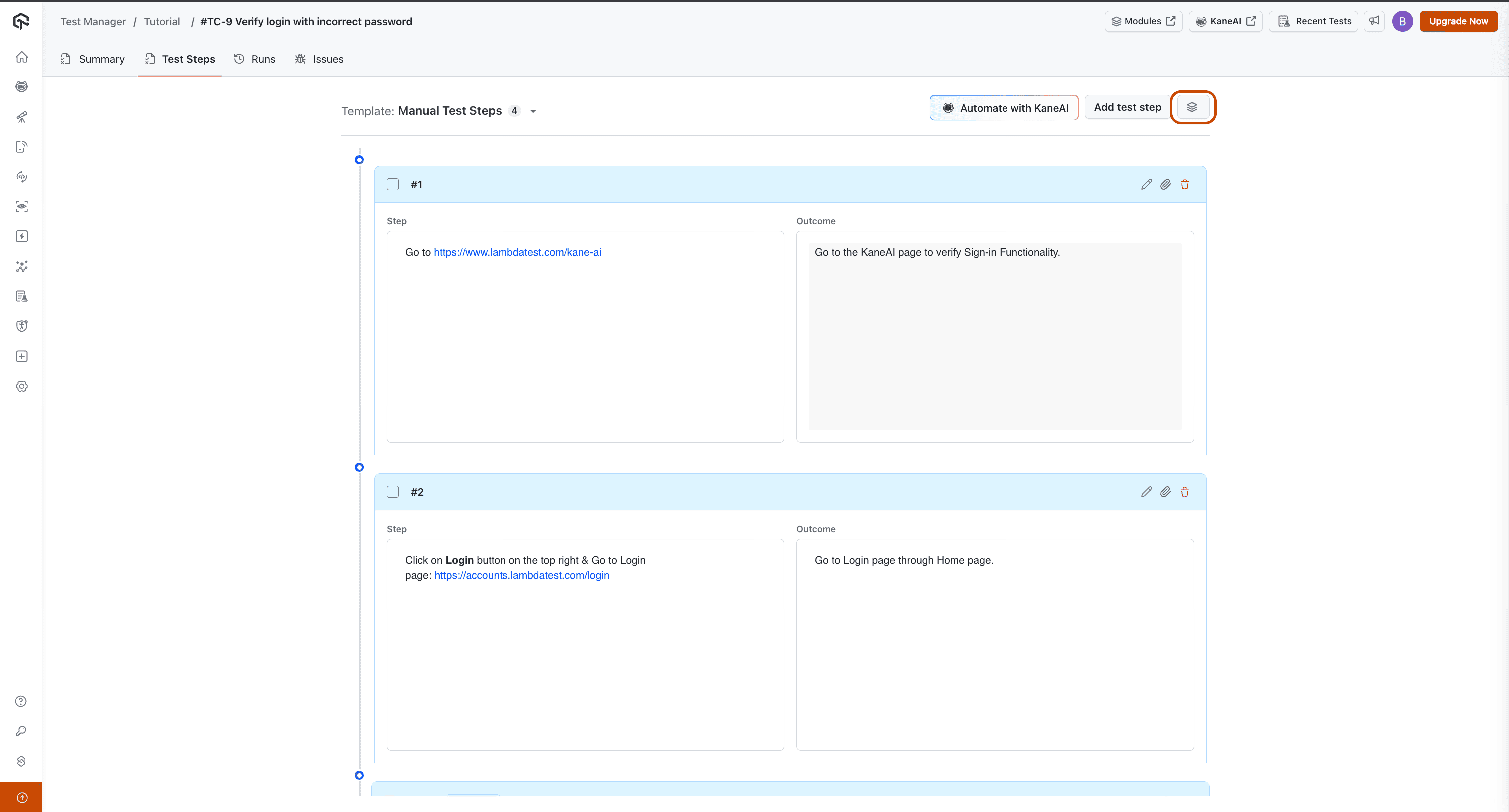
From there, you'll be able to select and import the specific module you need.
Keep in mind that only modules already linked with your project will be available for import.
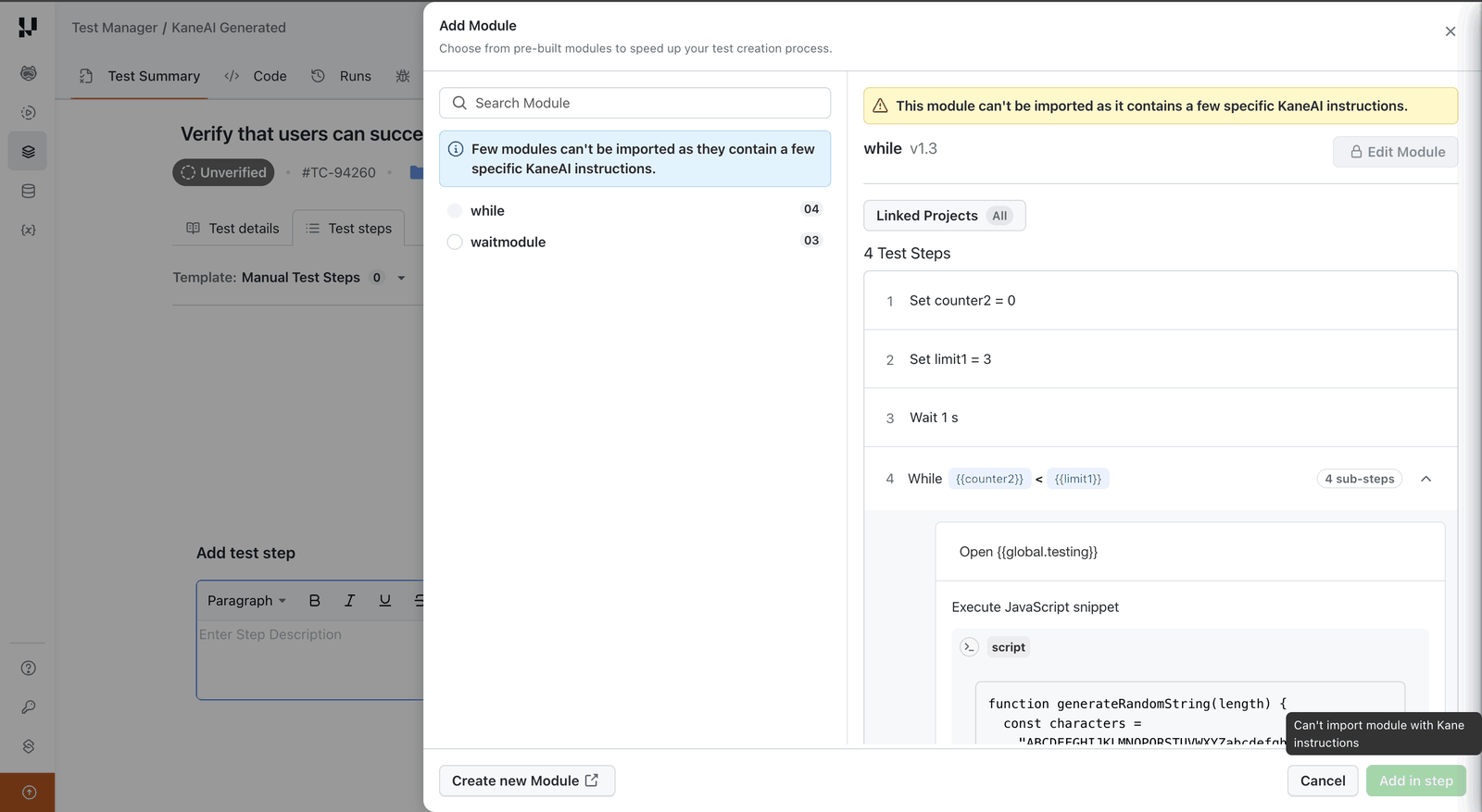
In the Classic experience, modules that contain KaneAI instructions run only in KaneAI test cases. This covers steps that create or use a variable or parameter, If-Else blocks, and While Loops.
The Add Module dialog lists the modules available to the test case and selects the first one by default. When the selected module contains KaneAI instructions, the dialog shows This module can't be imported as it contains a few specific KaneAI instructions and Add in step stays disabled. Edit Module is locked for the same module.
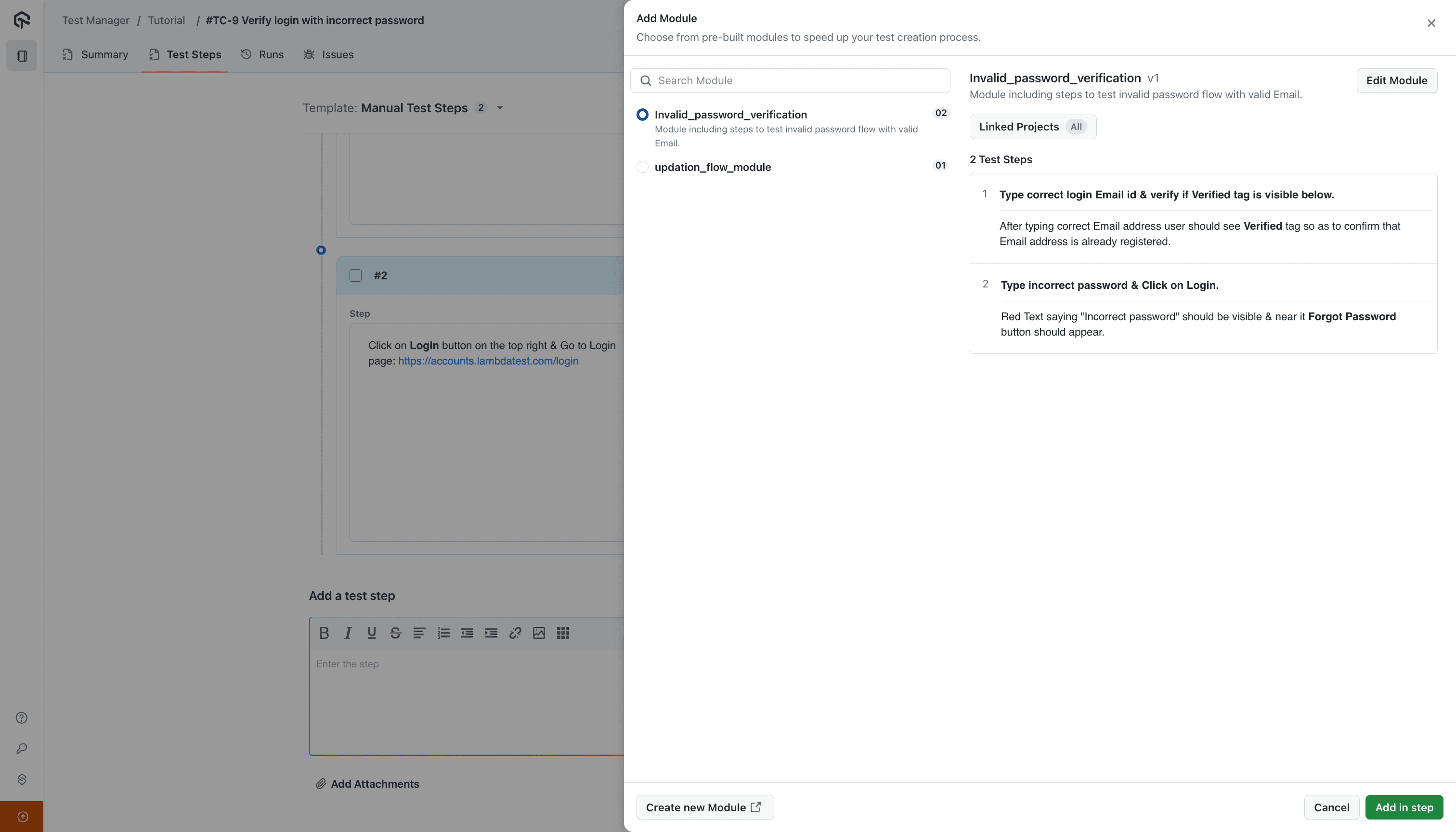
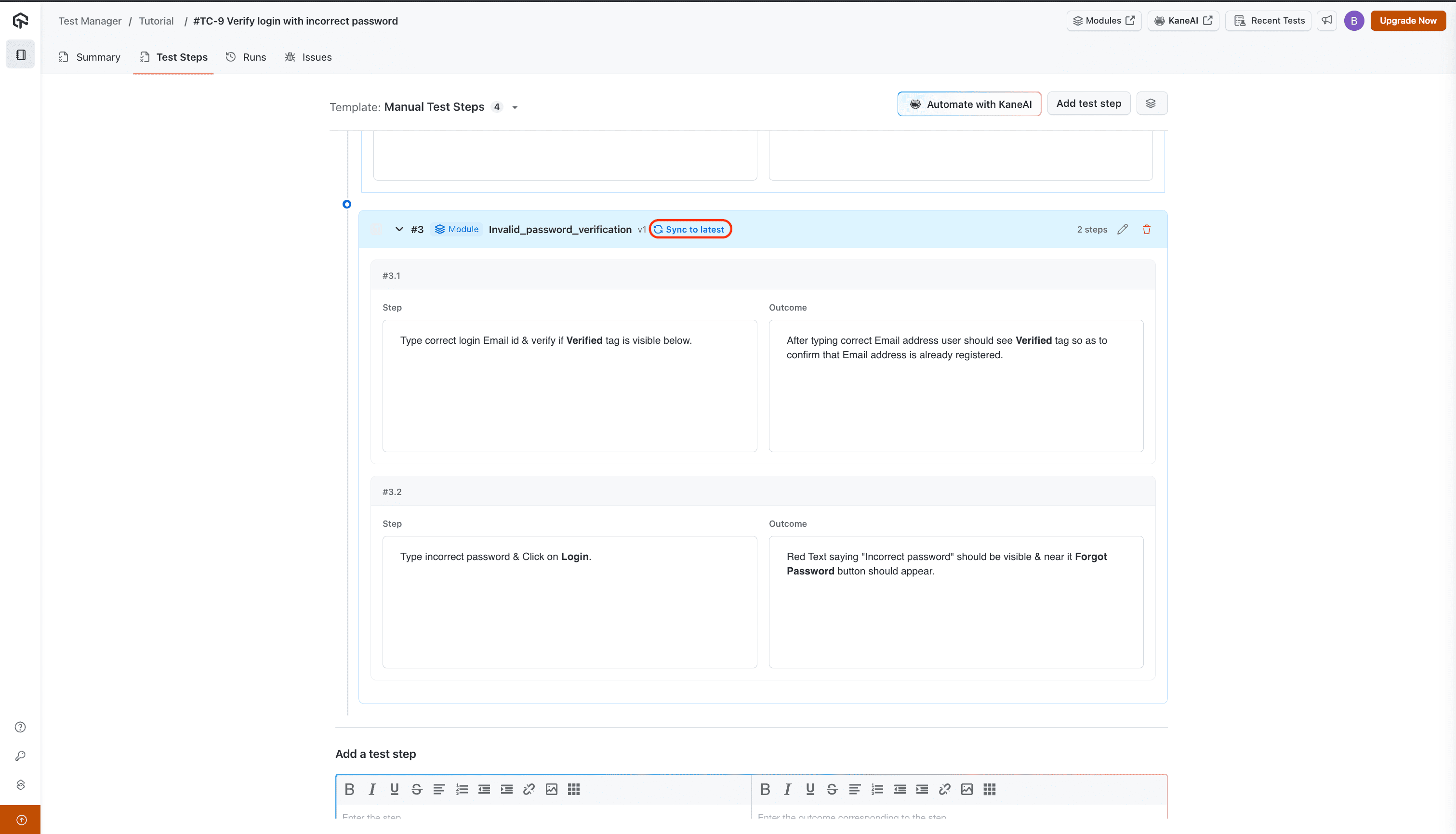
Notice that imported modules will appear visually distinct from other individual steps within your test case, making them easy to identify.
You can also edit or delete imported modules directly from this view. Making changes creates a new version of that module.
In the Classic experience, Edit Module is disabled for modules that contain variables, an If-Else block, or a While Loop. Edit these from the KaneAI test case they were authored from.
Please note that when a module is updated to a new version, its existing occurrences within your test cases will not be affected. They will remain linked to the previous version. To utilize the latest version of a module, you'll need to manually sync it by clicking the Sync to latest button. This allows you to review and confirm changes before they impact your test cases.


 Chat with Us