GitLab PR Checks with SmartUI Hooks
This guide shows you how to integrate SmartUI visual regression testing with GitLab merge requests using the SmartUI Hooks approach. This works for both web testing (Selenium, Playwright, Cypress, Puppeteer) and mobile app testing (Appium, WebdriverIO) across all supported languages.
This guide covers the SmartUI Hooks approach, where you pass SmartUI capabilities directly in your test configuration. This is different from the SDK approach:
SmartUI Hooks (This Guide):
- ✅ No
npx smartui execcommand needed - ✅ Tests run normally (e.g.,
npm test,mvn test,pytest) - ✅ SmartUI integration happens automatically through capabilities
- ✅ Suitable for TypeScript/JavaScript/Java/Python/Ruby/C#/WebdriverIO/Appium
- ✅ Works with web testing (Selenium, Playwright, Cypress, Puppeteer)
- ✅ Works with mobile app testing (Appium, iOS/Android)
SmartUI SDK:
- Requires
npx smartui exec -- <your-test-command> - Used for Java SDK and CLI-based projects
- See SmartUI Appium Java SDK for SDK approach
Prerequisites
Before you begin, ensure you have:
- LambdaTest account with active subscription
- GitLab repository with CI/CD enabled
- SmartUI project created in LambdaTest SmartUI Dashboard
- Test suite configured (Selenium/Playwright/Cypress/Puppeteer/Appium/WebdriverIO)
- Test framework configured in your preferred language (TypeScript/JavaScript/Java/Python/Ruby/C#)
- LambdaTest credentials (
LT_USERNAMEandLT_ACCESS_KEY)
Step 1: Integrate GitLab with LambdaTest
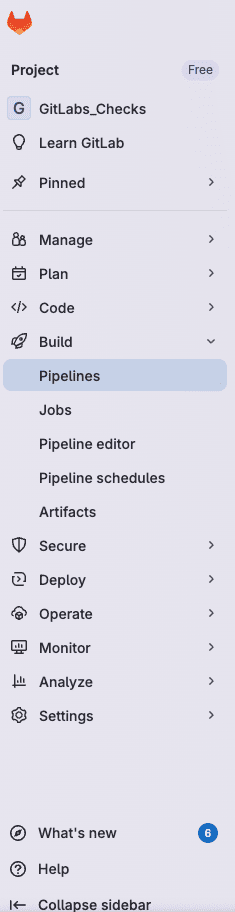
- Go to LambdaTest Integrations page
- Search for GitLab and select the integration
- Click on OAuth as your preferred authentication method
- Click Install and authorize the integration
- After successful authentication, refresh the Integrations page to verify GitLab is installed
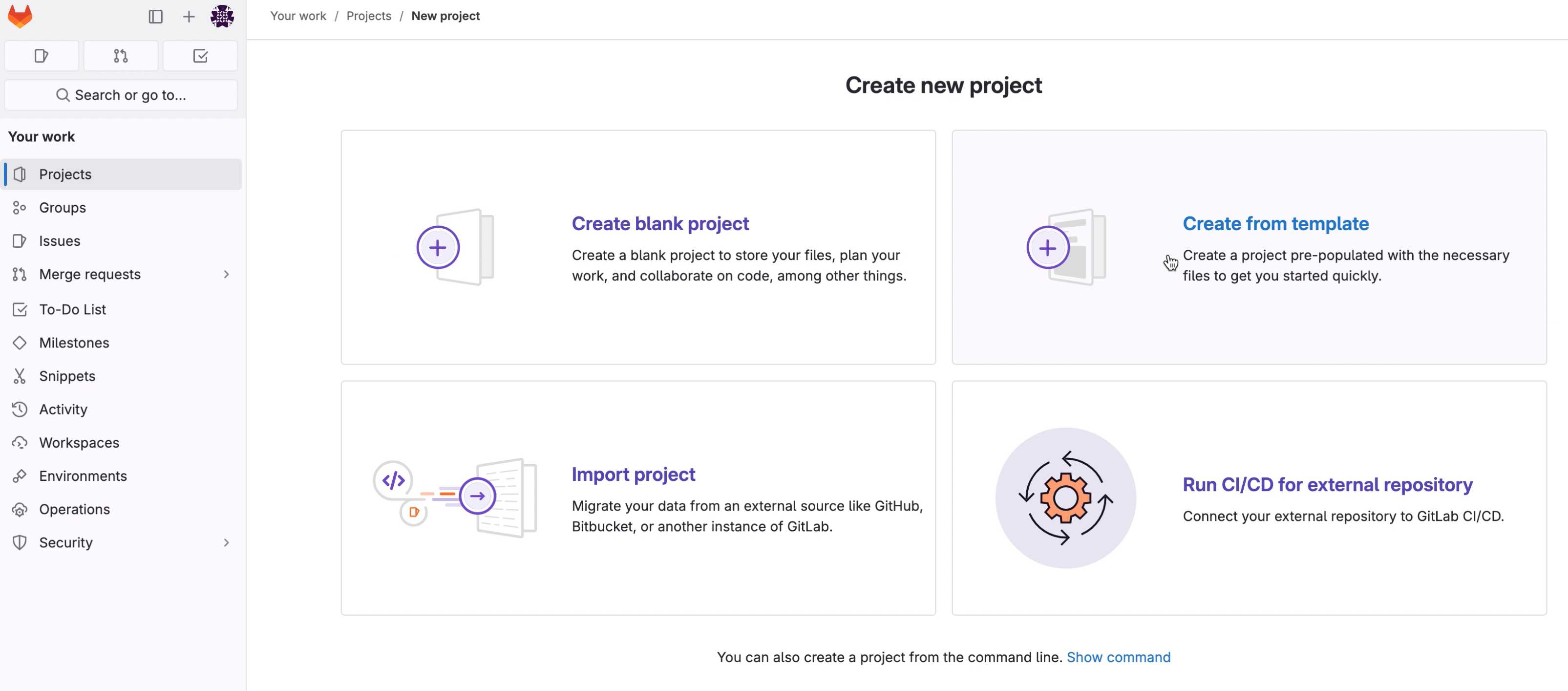
You can verify your GitLab integration is active by checking the Integrations page. The GitLab integration should show as "Installed" or "Active".
Step 2: Configure SmartUI Capabilities with GitLab Integration
Configure your test suite with SmartUI capabilities. Since you're using the Hooks approach, you'll pass SmartUI capabilities directly in your test configuration, including the GitLab integration capability.
- Web Testing (Selenium/Playwright)
- Mobile Testing (Appium/WebdriverIO)
- TypeScript/JavaScript
- Java
- Python
import { Builder, Capabilities } from 'selenium-webdriver';

const capabilities = {
  browserName: 'Chrome',
  browserVersion: 'latest',
  platformName: 'Windows 10',
  'LT:Options': {
    username: process.env.LT_USERNAME,
    accessKey: process.env.LT_ACCESS_KEY,
    project: 'Your Project Name',
    w3c: true,
    name: 'Web Test Session',
    build: process.env.CI
      ? `${process.env.CI_PROJECT_NAME}-${process.env.CI_PIPELINE_ID}`
      : `smartui-local-build-${new Date().toISOString().split('T')[0]}`,

    // SmartUI Hooks Configuration
    "smartUI.project": `${process.env.SMARTUI_PROJECT_NAME}-visual`,
    "smartUI.build": process.env.CI
      ? `${process.env.CI_PROJECT_NAME}-${process.env.CI_PIPELINE_ID}`
      : `smartui-local-build-${new Date().toISOString().split('T')[0]}`,
    "smartUI.baseline": false,

    // GitLab Integration Capability
    github: {
      url: process.env.GIT_URL // GitLab API URL for status updates
    }
  }
};

const driver = await new Builder()
  .usingServer(`https://${process.env.LT_USERNAME}:${process.env.LT_ACCESS_KEY}@hub.lambdatest.com/wd/hub`)
  .withCapabilities(capabilities)
  .build();
package webhook;

import org.openqa.selenium.chrome.ChromeOptions;
import org.openqa.selenium.remote.RemoteWebDriver;
import org.testng.annotations.BeforeClass;

import java.net.MalformedURLException;
import java.net.URL;
import java.util.HashMap;
import java.util.Map;

public class BaseClassWebhook {

    public RemoteWebDriver driver;
    public String githubURL = System.getenv("GITHUB_URL"); // GitLab URL from CI/CD

    @BeforeClass
    public void setup() throws MalformedURLException {
        String username = System.getenv("LT_USERNAME") == null
            ? "Your LT Username"
            : System.getenv("LT_USERNAME");
        String authkey = System.getenv("LT_ACCESS_KEY") == null
            ? "Your LT AccessKey"
            : System.getenv("LT_ACCESS_KEY");

        ChromeOptions browserOptions = new ChromeOptions();
        HashMap<String, Object> ltOptions = new HashMap<String, Object>();

        // LambdaTest Options
        ltOptions.put("username", username);
        ltOptions.put("accessKey", authkey);
        ltOptions.put("project", "Your Project Name");
        ltOptions.put("w3c", true);
        ltOptions.put("browserName", "Chrome");
        ltOptions.put("browserVersion", "latest");
        ltOptions.put("platformName", "Windows 10");

        // SmartUI Hooks Configuration
        String projectName = System.getenv("SMARTUI_PROJECT_NAME") != null
            ? System.getenv("SMARTUI_PROJECT_NAME") + "-visual"
            : "Your SmartUI Project Name";
        ltOptions.put("smartUI.project", projectName);

        String buildName = System.getenv("CI") != null
            ? System.getenv("CI_PROJECT_NAME") + "-" + System.getenv("CI_PIPELINE_ID")
            : "smartui-local-build";
        ltOptions.put("smartUI.build", buildName);
        ltOptions.put("smartUI.baseline", false);

        browserOptions.setCapability("LT:Options", ltOptions);

        // GitLab Integration Capability
        if (githubURL != null) {
            Map<String, String> github = new HashMap<String, String>();
            github.put("url", githubURL);
            browserOptions.setCapability("github", github);
            System.out.println("GitLab URL received successfully: " + githubURL);
        }

        String remoteUrl = "https://" + username + ":" + authkey + "@hub.lambdatest.com/wd/hub";
        driver = new RemoteWebDriver(new URL(remoteUrl), browserOptions);
    }
}
from selenium import webdriver
from selenium.webdriver.common.desired_capabilities import DesiredCapabilities
import os

# Get GitLab URL from environment
github_url = os.getenv("GITHUB_URL")

capabilities = {
    "browserName": "Chrome",
    "browserVersion": "latest",
    "platformName": "Windows 10",
    "LT:Options": {
        "username": os.getenv("LT_USERNAME"),
        "accessKey": os.getenv("LT_ACCESS_KEY"),
        "project": "Your Project Name",
        "w3c": True,
        "name": "Web Test Session",
        "build": f"{os.getenv('CI_PROJECT_NAME')}-{os.getenv('CI_PIPELINE_ID')}" if os.getenv("CI") else "smartui-local-build",

        # SmartUI Hooks Configuration
        "smartUI.project": f"{os.getenv('SMARTUI_PROJECT_NAME')}-visual",
        "smartUI.build": f"{os.getenv('CI_PROJECT_NAME')}-{os.getenv('CI_PIPELINE_ID')}" if os.getenv("CI") else "smartui-local-build",
        "smartUI.baseline": False,

        # GitLab Integration Capability
        "github": {
            "url": github_url
        }
    }
}

driver = webdriver.Remote(
    command_executor=f"https://{os.getenv('LT_USERNAME')}:{os.getenv('LT_ACCESS_KEY')}@hub.lambdatest.com/wd/hub",
    desired_capabilities=capabilities
)
- TypeScript/JavaScript
- Java
- Python
import { remote, RemoteOptions } from 'webdriverio';

const capabilities: RemoteOptions['capabilities'] = {
  deviceName: "iPhone 12",
  platformName: "ios",
  platformVersion: "14",
  isRealMobile: true,
  app: "APP_URL", // Your uploaded app URL
  visual: true, // Mandatory for SmartUI
  name: "Mobile App Test Session",
  build: process.env.CI
    ? `${process.env.CI_PROJECT_NAME}-${process.env.CI_PIPELINE_ID}`
    : `smartui-local-build-${new Date().toISOString().split('T')[0]}`,

  // SmartUI Hooks Configuration
  "smartUI.project": `${process.env.SMARTUI_PROJECT_NAME}-visual`,
  "smartUI.build": process.env.CI
    ? `${process.env.CI_PROJECT_NAME}-${process.env.CI_PIPELINE_ID}`
    : `smartui-local-build-${new Date().toISOString().split('T')[0]}`,
  "smartUI.baseline": false,
  "smartUI.cropStatusBar": true,
  "smartUI.cropFooter": true,

  // GitLab Integration Capability
  github: {
    url: process.env.GITHUB_URL // GitLab API URL for status updates
    // GitLab URL format: https://gitlab.com/api/v4/projects/{projectId}/statuses/{commitId}
  }
};

const driver = await remote({
  hostname: 'mobile-hub.lambdatest.com',
  port: 443,
  path: '/wd/hub',
  protocol: 'https',
  user: process.env.LT_USERNAME,
  key: process.env.LT_ACCESS_KEY,
  capabilities: capabilities as any,
});
package webhook;

import org.openqa.selenium.chrome.ChromeOptions;
import org.openqa.selenium.remote.RemoteWebDriver;
import org.testng.annotations.BeforeClass;

import java.net.MalformedURLException;
import java.net.URL;
import java.util.HashMap;
import java.util.Map;

public class BaseClassWebhook {

    public RemoteWebDriver driver;
    public String githubURL = System.getenv("GITHUB_URL"); // GitLab URL from CI/CD

    @BeforeClass
    public void setup() throws MalformedURLException {
        String username = System.getenv("LT_USERNAME") == null
            ? "Your LT Username"
            : System.getenv("LT_USERNAME");
        String authkey = System.getenv("LT_ACCESS_KEY") == null
            ? "Your LT AccessKey"
            : System.getenv("LT_ACCESS_KEY");

        ChromeOptions browserOptions = new ChromeOptions();
        HashMap<String, Object> ltOptions = new HashMap<String, Object>();

        // LambdaTest Options
        ltOptions.put("username", username);
        ltOptions.put("accessKey", authkey);
        ltOptions.put("project", "Your Project Name");
        ltOptions.put("w3c", true);
        ltOptions.put("deviceName", "iPhone 12");
        ltOptions.put("platformName", "ios");
        ltOptions.put("platformVersion", "14");
        ltOptions.put("isRealMobile", true);
        ltOptions.put("app", "APP_URL");
        ltOptions.put("visual", true); // Mandatory for SmartUI

        // SmartUI Hooks Configuration
        String projectName = System.getenv("SMARTUI_PROJECT_NAME") != null
            ? System.getenv("SMARTUI_PROJECT_NAME") + "-visual"
            : "Your SmartUI Project Name";
        ltOptions.put("smartUI.project", projectName);

        String buildName = System.getenv("CI") != null
            ? System.getenv("CI_PROJECT_NAME") + "-" + System.getenv("CI_PIPELINE_ID")
            : "smartui-local-build";
        ltOptions.put("smartUI.build", buildName);
        ltOptions.put("smartUI.baseline", false);
        ltOptions.put("smartUI.cropStatusBar", true);

        browserOptions.setCapability("LT:Options", ltOptions);

        // GitLab Integration Capability
        if (githubURL != null) {
            Map<String, String> github = new HashMap<String, String>();
            github.put("url", githubURL);
            browserOptions.setCapability("github", github);
            System.out.println("GitLab URL received successfully: " + githubURL);
        }

        String remoteUrl = "https://" + username + ":" + authkey + "@mobile-hub.lambdatest.com/wd/hub";
        driver = new RemoteWebDriver(new URL(remoteUrl), browserOptions);
    }
}
from appium import webdriver
import os

# Get GitLab URL from environment
github_url = os.getenv("GITHUB_URL")

capabilities = {
    "deviceName": "iPhone 12",
    "platformName": "ios",
    "platformVersion": "14",
    "isRealMobile": True,
    "app": "APP_URL",  # Your uploaded app URL
    "visual": True,  # Mandatory for SmartUI
    "name": "Mobile App Test Session",
    "build": f"{os.getenv('CI_PROJECT_NAME')}-{os.getenv('CI_PIPELINE_ID')}" if os.getenv("CI") else "smartui-local-build",

    # SmartUI Hooks Configuration
    "smartUI.project": f"{os.getenv('SMARTUI_PROJECT_NAME')}-visual",
    "smartUI.build": f"{os.getenv('CI_PROJECT_NAME')}-{os.getenv('CI_PIPELINE_ID')}" if os.getenv("CI") else "smartui-local-build",
    "smartUI.baseline": False,
    "smartUI.cropStatusBar": True,

    # GitLab Integration Capability
    "github": {
        "url": github_url  # GitLab API URL for status updates
    }
}

driver = webdriver.Remote(
    command_executor=f"https://{os.getenv('LT_USERNAME')}:{os.getenv('LT_ACCESS_KEY')}@mobile-hub.lambdatest.com/wd/hub",
    desired_capabilities=capabilities
)
The capability is named github (legacy name) but works with GitLab's API endpoint. Use the GIT_URL environment variable to pass the GitLab API URL. This is the same capability used for GitHub integration and supports both GitHub and GitLab status APIs.
Taking Screenshots with SmartUI Hooks
In your test code, use the SmartUI execute command to capture screenshots:
- TypeScript/JavaScript
- Java
- Python
- Ruby
- C#
// Viewport screenshot
await driver.execute("smartui.takeScreenshot=Homepage");

// Full page screenshot (if supported)
const config = {
  screenshotName: 'Homepage',
  fullPage: true,
  pageCount: 15  // Minimum 1, Maximum 20
};
await driver.execute("smartui.takeScreenshot", config);
import org.openqa.selenium.JavaScriptExecutor;
import java.util.HashMap;
import java.util.Map;

// Viewport screenshot
((JavaScriptExecutor) driver).executeScript("smartui.takeScreenshot=Homepage");

// Full page screenshot (if supported)
Map<String, Object> config = new HashMap<>();
config.put("screenshotName", "Homepage");
config.put("fullPage", true);
config.put("pageCount", 15); // Minimum 1, Maximum 20
((JavaScriptExecutor) driver).executeScript("smartui.takeScreenshot", config);
# Viewport screenshot
driver.execute_script("smartui.takeScreenshot=Homepage")

# Full page screenshot (if supported)
config = {
    "screenshotName": "Homepage",
    "fullPage": True,
    "pageCount": 15  # Minimum 1, Maximum 20
}
driver.execute_script("smartui.takeScreenshot", config)
# Viewport screenshot
driver.execute_script("smartui.takeScreenshot=Homepage")

# Full page screenshot (if supported)
config = {
  'screenshotName' => 'Homepage',
  'fullPage' => true,
  'pageCount' => 15  # Minimum 1, Maximum 20
}
driver.execute_script("smartui.takeScreenshot", config)
using OpenQA.Selenium;

// Viewport screenshot
((IJavaScriptExecutor)driver).ExecuteScript("smartui.takeScreenshot=Homepage");

// Full page screenshot (if supported)
var config = new Dictionary<string, object>
{
    { "screenshotName", "Homepage" },
    { "fullPage", true },
    { "pageCount", 15 }  // Minimum 1, Maximum 20
};
((IJavaScriptExecutor)driver).ExecuteScript("smartui.takeScreenshot", config);
Step 3: Configure GitLab CI/CD Pipeline
Create or update your .gitlab-ci.yml file. Since you're using Hooks, you just need to run your tests normally - no SmartUI CLI exec command required.
Complete GitLab CI/CD Configuration
- TypeScript/JavaScript
- Java
- Python
- Ruby
stages:
  - test

variables:
  NODE_VERSION: "18"
  LT_USERNAME: $LT_USERNAME
  LT_ACCESS_KEY: $LT_ACCESS_KEY
  SMARTUI_PROJECT_NAME: $SMARTUI_PROJECT_NAME

visual_regression_tests:
  stage: test
  image: node:${NODE_VERSION}

  before_script:
    - npm ci

  script:
    # Get GitLab project ID and commit SHA
    - |
      PROJECT_ID=${CI_PROJECT_ID}
      COMMIT_SHA=${CI_COMMIT_SHA}

      # For merge requests, use the merge request commit SHA
      if [ -n "$CI_MERGE_REQUEST_IID" ]; then
        COMMIT_SHA=${CI_MERGE_REQUEST_SHA:-${CI_COMMIT_SHA}}
      fi

      # Construct GitLab API URL for status updates
      GITHUB_URL="https://gitlab.com/api/v4/projects/${PROJECT_ID}/statuses/${COMMIT_SHA}"

      echo "GitLab Project ID: ${PROJECT_ID}"
      echo "Commit SHA: ${COMMIT_SHA}"
      echo "GitLab Status URL: ${GITHUB_URL}"

      # Export GITHUB_URL as environment variable for use in test capabilities
      export GITHUB_URL="${GITHUB_URL}"

      # Run your tests normally - SmartUI Hooks work automatically through capabilities
      npm test
      # Or: npx wdio run wdio.conf.ts
      # Or: npm run test:mobile

  only:
    - merge_requests
    - main
    - develop

  environment:
    name: visual-regression/$CI_COMMIT_REF_NAME
stages:
  - test

variables:
  MAVEN_OPTS: "-Dmaven.repo.local=.m2/repository"
  LT_USERNAME: $LT_USERNAME
  LT_ACCESS_KEY: $LT_ACCESS_KEY
  SMARTUI_PROJECT_NAME: $SMARTUI_PROJECT_NAME

visual_regression_tests:
  stage: test
  image: maven:3.8-openjdk-11

  cache:
    paths:
      - .m2/repository/

  before_script:
    - mvn clean install -DskipTests

  script:
    # Get GitLab project ID and commit SHA
    - |
      PROJECT_ID=${CI_PROJECT_ID}
      COMMIT_SHA=${CI_COMMIT_SHA}

      # For merge requests, use the merge request commit SHA
      if [ -n "$CI_MERGE_REQUEST_IID" ]; then
        COMMIT_SHA=${CI_MERGE_REQUEST_SHA:-${CI_COMMIT_SHA}}
      fi

      # Construct GitLab API URL for status updates
      GITHUB_URL="https://gitlab.com/api/v4/projects/${PROJECT_ID}/statuses/${COMMIT_SHA}"

      echo "GitLab Project ID: ${PROJECT_ID}"
      echo "Commit SHA: ${COMMIT_SHA}"
      echo "GitLab Status URL: ${GITHUB_URL}"

      # Export GITHUB_URL as environment variable for use in test capabilities
      export GITHUB_URL="${GITHUB_URL}"

      # Run your tests normally - SmartUI Hooks work automatically through capabilities
      mvn test
      # Or: ./gradlew test (for Gradle)

  only:
    - merge_requests
    - main
    - develop

  environment:
    name: visual-regression/$CI_COMMIT_REF_NAME
stages:
  - test

variables:
  PYTHON_VERSION: "3.9"
  LT_USERNAME: $LT_USERNAME
  LT_ACCESS_KEY: $LT_ACCESS_KEY
  SMARTUI_PROJECT_NAME: $SMARTUI_PROJECT_NAME

visual_regression_tests:
  stage: test
  image: python:${PYTHON_VERSION}

  before_script:
    - pip install -r requirements.txt

  script:
    # Get GitLab project ID and commit SHA
    - |
      PROJECT_ID=${CI_PROJECT_ID}
      COMMIT_SHA=${CI_COMMIT_SHA}

      # For merge requests, use the merge request commit SHA
      if [ -n "$CI_MERGE_REQUEST_IID" ]; then
        COMMIT_SHA=${CI_MERGE_REQUEST_SHA:-${CI_COMMIT_SHA}}
      fi

      # Construct GitLab API URL for status updates
      GITHUB_URL="https://gitlab.com/api/v4/projects/${PROJECT_ID}/statuses/${COMMIT_SHA}"

      echo "GitLab Project ID: ${PROJECT_ID}"
      echo "Commit SHA: ${COMMIT_SHA}"
      echo "GitLab Status URL: ${GITHUB_URL}"

      # Export GITHUB_URL as environment variable for use in test capabilities
      export GITHUB_URL="${GITHUB_URL}"

      # Run your tests normally - SmartUI Hooks work automatically through capabilities
      pytest
      # Or: python -m unittest discover
      # Or: behave

  only:
    - merge_requests
    - main
    - develop

  environment:
    name: visual-regression/$CI_COMMIT_REF_NAME
stages:
  - test

variables:
  RUBY_VERSION: "3.1"
  LT_USERNAME: $LT_USERNAME
  LT_ACCESS_KEY: $LT_ACCESS_KEY
  SMARTUI_PROJECT_NAME: $SMARTUI_PROJECT_NAME

visual_regression_tests:
  stage: test
  image: ruby:${RUBY_VERSION}

  before_script:
    - bundle install

  script:
    # Get GitLab project ID and commit SHA
    - |
      PROJECT_ID=${CI_PROJECT_ID}
      COMMIT_SHA=${CI_COMMIT_SHA}

      # For merge requests, use the merge request commit SHA
      if [ -n "$CI_MERGE_REQUEST_IID" ]; then
        COMMIT_SHA=${CI_MERGE_REQUEST_SHA:-${CI_COMMIT_SHA}}
      fi

      # Construct GitLab API URL for status updates
      GITHUB_URL="https://gitlab.com/api/v4/projects/${PROJECT_ID}/statuses/${COMMIT_SHA}"

      echo "GitLab Project ID: ${PROJECT_ID}"
      echo "Commit SHA: ${COMMIT_SHA}"
      echo "GitLab Status URL: ${GITHUB_URL}"

      # Export GITHUB_URL as environment variable for use in test capabilities
      export GITHUB_URL="${GITHUB_URL}"

      # Run your tests normally - SmartUI Hooks work automatically through capabilities
      bundle exec rspec
      # Or: bundle exec cucumber

  only:
    - merge_requests
    - main
    - develop

  environment:
    name: visual-regression/$CI_COMMIT_REF_NAME
Key Configuration Points
- No SmartUI CLI exec needed: With Hooks, you run your tests normally (e.g.,
npm test,mvn test,pytest) - GitLab Project ID: Automatically available as
CI_PROJECT_IDin GitLab CI/CD - Commit SHA: Use
CI_COMMIT_SHAfor regular commits, orCI_MERGE_REQUEST_SHAfor merge requests - GitLab API URL: Export as
GIT_URLenvironment variable, which your test capabilities will use - GitLab API URL Format:
https://gitlab.com/api/v4/projects/{projectId}/statuses/{commitId}
With SmartUI Hooks:
- You pass SmartUI capabilities (including
github.urlwithGIT_URLfor GitLab) in your test configuration - Run your tests normally (no
npx smartui execcommand) - SmartUI integration happens automatically through the capabilities
- GitLab PR checks are updated automatically when tests complete
Step 4: Set Up GitLab CI/CD Variables
Configure the following variables in your GitLab project:
- Go to your GitLab project → Settings → CI/CD → Variables
- Add the following variables:

| Variable Name | Description |
|---|---|
LT_USERNAME | Your LambdaTest username |
LT_ACCESS_KEY | Your LambdaTest access key |
SMARTUI_PROJECT_NAME | Your SmartUI project name |
Step 5: View Pipeline Results in GitLab
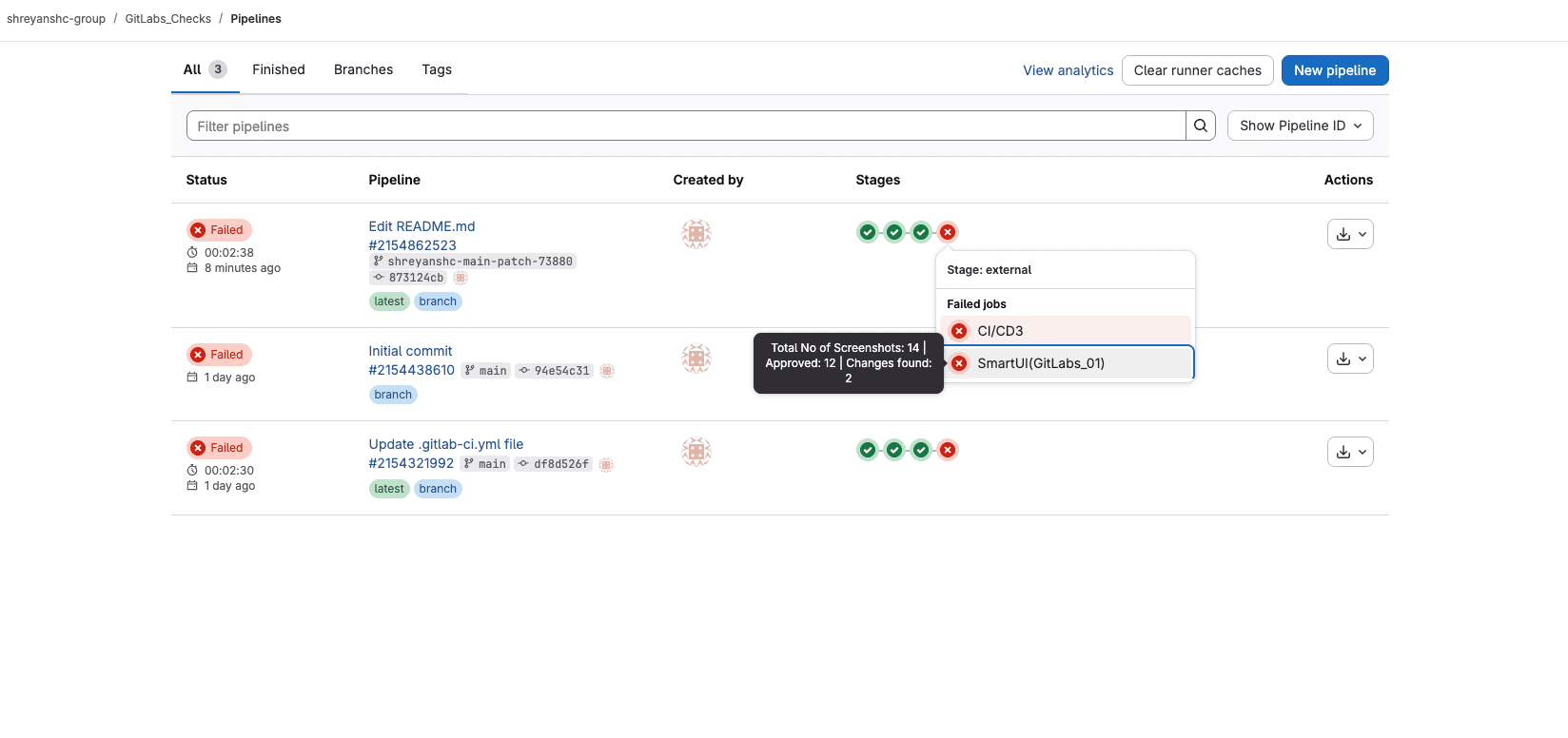
After your pipeline runs, you can view the results in the GitLab Pipelines page:
The pipeline will show:
- Pipeline status (Success/Failed)
- Job status for SmartUI tests
- Screenshot statistics (Total, Approved, Changes Found) in the job tooltip
Step 6: View PR Check Results in GitLab Merge Request
After your pipeline runs, you'll see SmartUI status checks in your GitLab merge request:
Successful Status
When all visual tests pass:
- ✅ Status: Success
- Details: Click "Details" to view the SmartUI build in the dashboard
- Screenshot: All screenshots match baseline or are approved
Failed Status
When visual differences are detected:
- ❌ Status: Failed
- Details: Click "Details" to review differences in SmartUI dashboard
- Action Required: Review and approve/reject changes in SmartUI dashboard
Complete Working Examples
- Web Testing Example
- Mobile Testing Example
- TypeScript/JavaScript
- Java
import { Builder, Capabilities } from 'selenium-webdriver';

describe('Web Visual Regression Tests', () => {
  let driver;

  before(async () => {
    // Construct GitLab URL (in CI/CD, this would come from environment variable)
    const gitUrl = process.env.GIT_URL ||
      `https://gitlab.com/api/v4/projects/${process.env.CI_PROJECT_ID}/statuses/${process.env.CI_COMMIT_SHA}`;

    const capabilities = {
      browserName: 'Chrome',
      browserVersion: 'latest',
      platformName: 'Windows 10',
      'LT:Options': {
        username: process.env.LT_USERNAME,
        accessKey: process.env.LT_ACCESS_KEY,
        project: 'Your Project Name',
        w3c: true,
        name: 'Web Visual Tests',
      build: process.env.CI
        ? `${process.env.CI_PROJECT_NAME}-${process.env.CI_PIPELINE_ID}`
        : `local-build-${Date.now()}`,
      "smartUI.project": `${process.env.SMARTUI_PROJECT_NAME}-visual`,
      "smartUI.build": process.env.CI
        ? `${process.env.CI_PROJECT_NAME}-${process.env.CI_PIPELINE_ID}`
        : `local-build-${Date.now()}`,
      "smartUI.baseline": false,
      // GitLab integration capability
      github: {
          url: gitUrl
        }
      }
    };

    driver = await new Builder()
      .usingServer(`https://${process.env.LT_USERNAME}:${process.env.LT_ACCESS_KEY}@hub.lambdatest.com/wd/hub`)
      .withCapabilities(capabilities)
      .build();
  });

  after(async () => {
    if (driver) {
      await driver.quit();
    }
  });

  it('should capture homepage screenshot', async () => {
    await driver.get('https://example.com');
    await driver.executeScript("smartui.takeScreenshot=Homepage");
  });

  it('should capture login page screenshot', async () => {
    await driver.get('https://example.com/login');
    await driver.executeScript("smartui.takeScreenshot=LoginPage");
  });
});
package webhook;

import org.openqa.selenium.JavaScriptExecutor;
import org.openqa.selenium.chrome.ChromeOptions;
import org.openqa.selenium.remote.RemoteWebDriver;
import org.testng.annotations.AfterClass;
import org.testng.annotations.BeforeClass;
import org.testng.annotations.Test;

import java.net.MalformedURLException;
import java.net.URL;
import java.util.HashMap;
import java.util.Map;

public class BaseClassWebhook {

    public RemoteWebDriver driver;
    public String githubURL = System.getenv("GITHUB_URL"); // GitLab URL from CI/CD

    @BeforeClass
    public void setup() throws MalformedURLException {
        String username = System.getenv("LT_USERNAME") == null
            ? "Your LT Username"
            : System.getenv("LT_USERNAME");
        String authkey = System.getenv("LT_ACCESS_KEY") == null
            ? "Your LT AccessKey"
            : System.getenv("LT_ACCESS_KEY");

        ChromeOptions browserOptions = new ChromeOptions();
        HashMap<String, Object> ltOptions = new HashMap<String, Object>();

        // LambdaTest Options
        ltOptions.put("username", username);
        ltOptions.put("accessKey", authkey);
        ltOptions.put("project", "Your Project Name");
        ltOptions.put("w3c", true);
        ltOptions.put("browserName", "Chrome");
        ltOptions.put("browserVersion", "latest");
        ltOptions.put("platformName", "Windows 10");

        // SmartUI Hooks Configuration
        String projectName = System.getenv("SMARTUI_PROJECT_NAME") != null
            ? System.getenv("SMARTUI_PROJECT_NAME") + "-visual"
            : "Your SmartUI Project Name";
        ltOptions.put("smartUI.project", projectName);

        String buildName = System.getenv("CI") != null
            ? System.getenv("CI_PROJECT_NAME") + "-" + System.getenv("CI_PIPELINE_ID")
            : "smartui-local-build";
        ltOptions.put("smartUI.build", buildName);
        ltOptions.put("smartUI.baseline", false);

        browserOptions.setCapability("LT:Options", ltOptions);

        // GitLab Integration Capability
        if (githubURL != null) {
            Map<String, String> github = new HashMap<String, String>();
            github.put("url", githubURL);
            browserOptions.setCapability("github", github);
            System.out.println("GitLab URL received successfully: " + githubURL);
        }

        String remoteUrl = "https://" + username + ":" + authkey + "@hub.lambdatest.com/wd/hub";
        driver = new RemoteWebDriver(new URL(remoteUrl), browserOptions);
    }

    @Test
    public void testHomepageScreenshot() {
        driver.get("https://example.com");
        ((JavaScriptExecutor) driver).executeScript("smartui.takeScreenshot=Homepage");
    }

    @Test
    public void testLoginPageScreenshot() {
        driver.get("https://example.com/login");
        ((JavaScriptExecutor) driver).executeScript("smartui.takeScreenshot=LoginPage");
    }

    @AfterClass
    public void tearDown() {
        if (driver != null) {
            driver.quit();
        }
    }
}
- TypeScript/JavaScript
- Java
import { remote, RemoteOptions } from 'webdriverio';

describe('Mobile App Visual Regression Tests', () => {
  let driver: WebdriverIO.Browser;

  before(async () => {
    // Construct GitLab URL (in CI/CD, this would come from environment variable)
    const gitUrl = process.env.GIT_URL ||
      `https://gitlab.com/api/v4/projects/${process.env.CI_PROJECT_ID}/statuses/${process.env.CI_COMMIT_SHA}`;

    const capabilities: RemoteOptions['capabilities'] = {
      deviceName: "iPhone 12",
      platformName: "ios",
      platformVersion: "14",
      isRealMobile: true,
      app: process.env.APP_URL || "YOUR_APP_URL",
      visual: true, // Mandatory for SmartUI
      name: "Mobile App Visual Tests",
      build: process.env.CI
        ? `${process.env.CI_PROJECT_NAME}-${process.env.CI_PIPELINE_ID}`
        : `local-build-${Date.now()}`,
      "smartUI.project": `${process.env.SMARTUI_PROJECT_NAME}-visual`,
      "smartUI.build": process.env.CI
        ? `${process.env.CI_PROJECT_NAME}-${process.env.CI_PIPELINE_ID}`
        : `local-build-${Date.now()}`,
      "smartUI.baseline": false,
      "smartUI.cropStatusBar": true,
      // GitLab integration capability
      github: {
        url: gitlabUrl
      }
    };

    driver = await remote({
      hostname: 'mobile-hub.lambdatest.com',
      port: 443,
      path: '/wd/hub',
      protocol: 'https',
      user: process.env.LT_USERNAME,
      key: process.env.LT_ACCESS_KEY,
      capabilities: capabilities as any,
    });
  });

  after(async () => {
    if (driver) {
      await driver.deleteSession();
    }
  });

  it('should capture homepage screenshot', async () => {
    // Navigate or perform actions
    await driver.execute("smartui.takeScreenshot=Homepage");
  });

  it('should capture login screen screenshot', async () => {
    // Navigate to login screen
    await driver.execute("smartui.takeScreenshot=LoginScreen");
  });
});
package webhook;

import org.openqa.selenium.JavaScriptExecutor;
import org.openqa.selenium.chrome.ChromeOptions;
import org.openqa.selenium.remote.RemoteWebDriver;
import org.testng.annotations.AfterClass;
import org.testng.annotations.BeforeClass;
import org.testng.annotations.Test;

import java.net.MalformedURLException;
import java.net.URL;
import java.util.HashMap;
import java.util.Map;

public class BaseClassWebhook {

    public RemoteWebDriver driver;
    public String githubURL = System.getenv("GITHUB_URL"); // GitLab URL from CI/CD

    @BeforeClass
    public void setup() throws MalformedURLException {
        String username = System.getenv("LT_USERNAME") == null
            ? "Your LT Username"
            : System.getenv("LT_USERNAME");
        String authkey = System.getenv("LT_ACCESS_KEY") == null
            ? "Your LT AccessKey"
            : System.getenv("LT_ACCESS_KEY");

        ChromeOptions browserOptions = new ChromeOptions();
        HashMap<String, Object> ltOptions = new HashMap<String, Object>();

        // LambdaTest Options
        ltOptions.put("username", username);
        ltOptions.put("accessKey", authkey);
        ltOptions.put("project", "Your Project Name");
        ltOptions.put("w3c", true);
        ltOptions.put("deviceName", "iPhone 12");
        ltOptions.put("platformName", "ios");
        ltOptions.put("platformVersion", "14");
        ltOptions.put("isRealMobile", true);
        ltOptions.put("app", "APP_URL");
        ltOptions.put("visual", true); // Mandatory for SmartUI

        // SmartUI Hooks Configuration
        String projectName = System.getenv("SMARTUI_PROJECT_NAME") != null
            ? System.getenv("SMARTUI_PROJECT_NAME") + "-visual"
            : "Your SmartUI Project Name";
        ltOptions.put("smartUI.project", projectName);

        String buildName = System.getenv("CI") != null
            ? System.getenv("CI_PROJECT_NAME") + "-" + System.getenv("CI_PIPELINE_ID")
            : "smartui-local-build";
        ltOptions.put("smartUI.build", buildName);
        ltOptions.put("smartUI.baseline", false);
        ltOptions.put("smartUI.cropStatusBar", true);

        browserOptions.setCapability("LT:Options", ltOptions);

        // GitLab Integration Capability
        if (githubURL != null) {
            Map<String, String> github = new HashMap<String, String>();
            github.put("url", githubURL);
            browserOptions.setCapability("github", github);
            System.out.println("GitLab URL received successfully: " + githubURL);
        }

        String remoteUrl = "https://" + username + ":" + authkey + "@mobile-hub.lambdatest.com/wd/hub";
        driver = new RemoteWebDriver(new URL(remoteUrl), browserOptions);
    }

    @Test
    public void testHomepageScreenshot() {
        // Navigate or perform actions
        ((JavaScriptExecutor) driver).executeScript("smartui.takeScreenshot=Homepage");
    }

    @Test
    public void testLoginScreenScreenshot() {
        // Navigate to login screen
        ((JavaScriptExecutor) driver).executeScript("smartui.takeScreenshot=LoginScreen");
    }

    @AfterClass
    public void tearDown() {
        if (driver != null) {
            driver.quit();
        }
    }
}
Troubleshooting
- PR Check Not Appearing
- Screenshots Not Captured
- GitLab URL Not Set
Issue: PR Check Not Appearing in GitLab
Symptoms: Pipeline runs but no SmartUI status check appears in merge request.
Solutions:
- Verify GitLab integration is active in LambdaTest Integrations
- Check that
github.urlcapability is correctly set in your test configuration - Verify
GIT_URLenvironment variable is exported in CI/CD pipeline - Ensure
CI_PROJECT_IDandCI_COMMIT_SHAare correctly set - For merge requests, use
CI_MERGE_REQUEST_SHAinstead ofCI_COMMIT_SHA - Check test logs to ensure tests completed successfully
- Verify GitLab API URL format:
https://gitlab.com/api/v4/projects/{projectId}/statuses/{commitId}
Issue: Tests Run But No Screenshots in SmartUI
Symptoms: Pipeline completes successfully but no screenshots appear in SmartUI dashboard.
Solutions:
- Verify
visual: trueis set in capabilities - Check
smartUI.projectcapability matches your SmartUI project name - Ensure
LT_USERNAMEandLT_ACCESS_KEYare correctly set - Verify you're using the correct LambdaTest grid URL:
- Web testing:
@hub.lambdatest.com/wd/hub - Mobile testing:
@mobile-hub.lambdatest.com/wd/hub
- Web testing:
- Check test logs for SmartUI execute command errors
- Verify SmartUI project exists and is accessible
- Ensure screenshot commands are being called in your tests
Issue: GitLab URL Not Available in Tests
Symptoms: Tests run but GitLab PR check doesn't update.
Solutions:
- Verify
GIT_URLis exported in CI/CD pipeline before test execution - Check that
github.urlcapability is reading fromGIT_URLenvironment variable - Add debug logging to verify URL is set
- Ensure URL format is correct:
https://gitlab.com/api/v4/projects/{projectId}/statuses/{commitId} - Verify the URL is set in the same script block that runs tests
Key Differences: Hooks vs SDK
| Aspect | SmartUI Hooks (This Guide) | SmartUI SDK |
|---|---|---|
| Command | Run tests normally (npm test, mvn test, pytest) | Use npx smartui exec -- <command> |
| Integration | Automatic via capabilities | Requires CLI wrapper |
| Setup | Add capabilities to test config | Configure CLI and run with exec |
| GitLab Integration | Add github.url capability with GIT_URL | Use --gitURL parameter with exec |
| Languages | TypeScript/JS/Java/Python/Ruby/C#/WebdriverIO/Appium | Java SDK, CLI projects |
| Java Support | ✅ Yes - Use capabilities with github capability | ✅ Yes - Use npx smartui exec -- mvn test |
Next Steps
- Learn about SmartUI Appium Hooks for detailed mobile testing guide
- Check the SmartUI Troubleshooting Guide for common issues
- Review GitLab CI/CD Documentation for advanced pipeline configuration
Related Documentation
- SmartUI with GitLab - General GitLab integration guide
- SmartUI Appium Hooks - Mobile testing with Appium Hooks
- SmartUI Mobile Testing Overview - Mobile testing frameworks overview
- SmartUI Project Settings - Configure SmartUI projects
- GitHub App Integration - Similar integration pattern for GitHub

 Chat with Us
 Ask the Community