KaneAI - Geolocation, Tunnel and Proxy Support
Now you can start your web tests on Kane AI using advanced configurations like geolocation, tunnel, and dedicated proxy support.
Geolocation Support
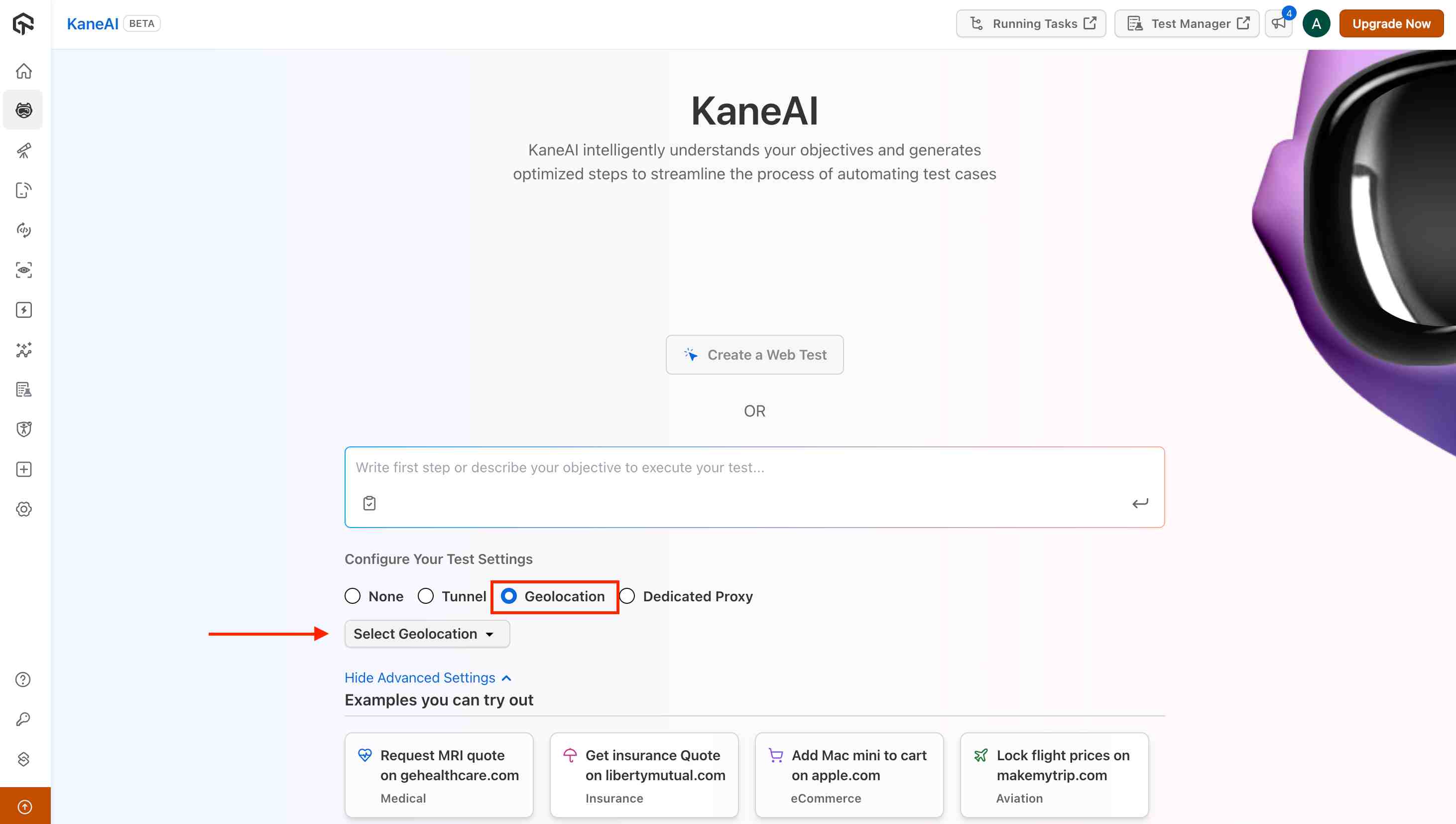
With KaneAI's geolocation feature, you can simulate user interactions from different regions to ensure your website works as expected worldwide.
Steps to Use Geolocation
Step 1 : Select the Geolocation option from the Advanced Settings and choose your desired region.
Step 2 : Run your web test on KaneAI with traffic proxied through the selected region.
Step 3 : Once the test is saved, the generated code will include geolocation details automatically, making it easier to replicate the test across different regions.
Tunnel Support
KaneAI also supports tunneling to allow you to test websites hosted locally or behind a firewall.
Steps to Use Tunnel
Step 1 : Configure the tunnel using the LT tunnel binary with --env ht-prod mode enabled. You can use the following command to trigger your tunnel:
./LT --user undefined --key undefined --env ht-prod -v -n TUNNEL_NAME
Step 2 : Select the tunnel from the Advanced Settings on KaneAI and choose the tunnel that you have spun up.
Step 3 : Run your web test on KaneAI from a locally hosted webpage.
Step 4 : Once the test is saved, the generated code will include tunnel details automatically for easy replication.
Dedicated Proxy Support (Enterprise only)
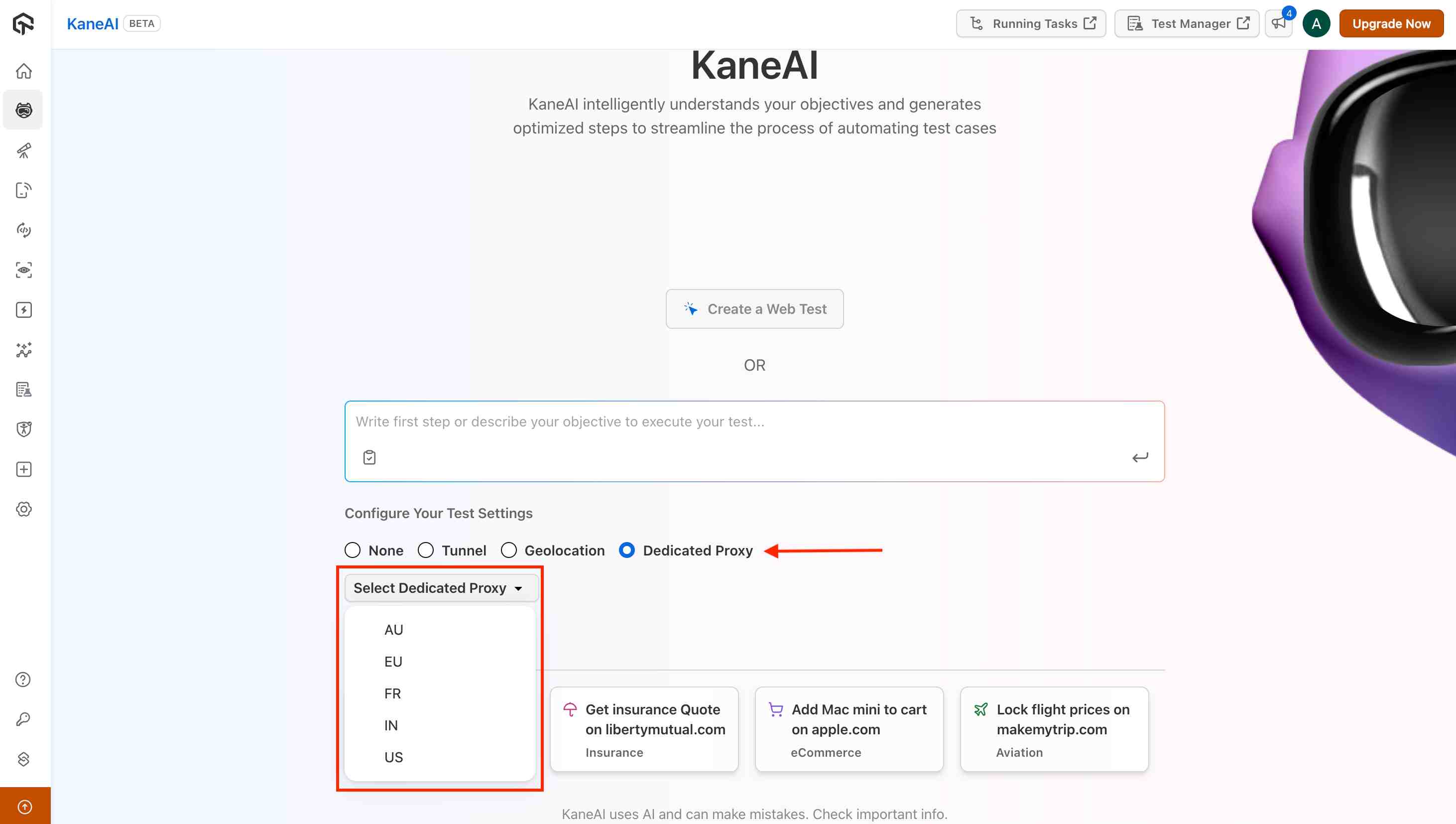
KaneAI offers support for dedicated proxy usage, exclusively available for enterprise accounts with dedicated proxy enabled.
Steps to Use Dedicated Proxy
Step 1 : Select the Dedicated Proxy option from the Advanced Settings and choose the region.
Step 2 : Run your web test on KaneAI with traffic routed through the dedicated proxy IP configured for your organization.
Step 3 : Once the test is saved, the generated code will include proxy details automatically, allowing seamless future executions.


 Chat with Us