Understand Agent Assurance Results and Evidence
Rook reports what the agent did separately from what the test harness could observe. Read the scenario verdict, criterion evidence, and coverage together.
Scenario Verdicts
| Verdict | Interpretation |
|---|---|
| Pass | The scenario was attempted, every verifiable criterion passed, and no verifiable criterion failed. |
| Fail | One or more criteria were observed to fail. |
| Unable to Verify | Rook could not establish the outcome. This is excluded from the pass-rate denominator and is not an agent defect. |
The browser may present a partial-looking scenario summary when some criteria pass or fail while others remain unverifiable. Open the scenario to see the authoritative per-criterion statuses.
Pass Rate Versus Coverage
- Pass rate is the percentage of graded scenarios that passed.
- Coverage is the percentage of individual criteria Rook could verify.
Example:
8 graded scenarios: 8 passed, 0 failed
20 criteria: 8 verified, 12 unable to verify
pass rate: 100%
coverage: 40%
A 100% pass rate at 40% coverage is not full assurance. Improve observation until coverage matches the risk of the decision the report needs to support.
Open the Browser Viewer
From the TUI:
/ui
Print the URL without opening a browser:
/ui --no-open
The viewer is:
- Bound to loopback and server-rendered.
- Read-only and makes no external requests.
- Local: it reads the project files directly and stops with the Rook process.
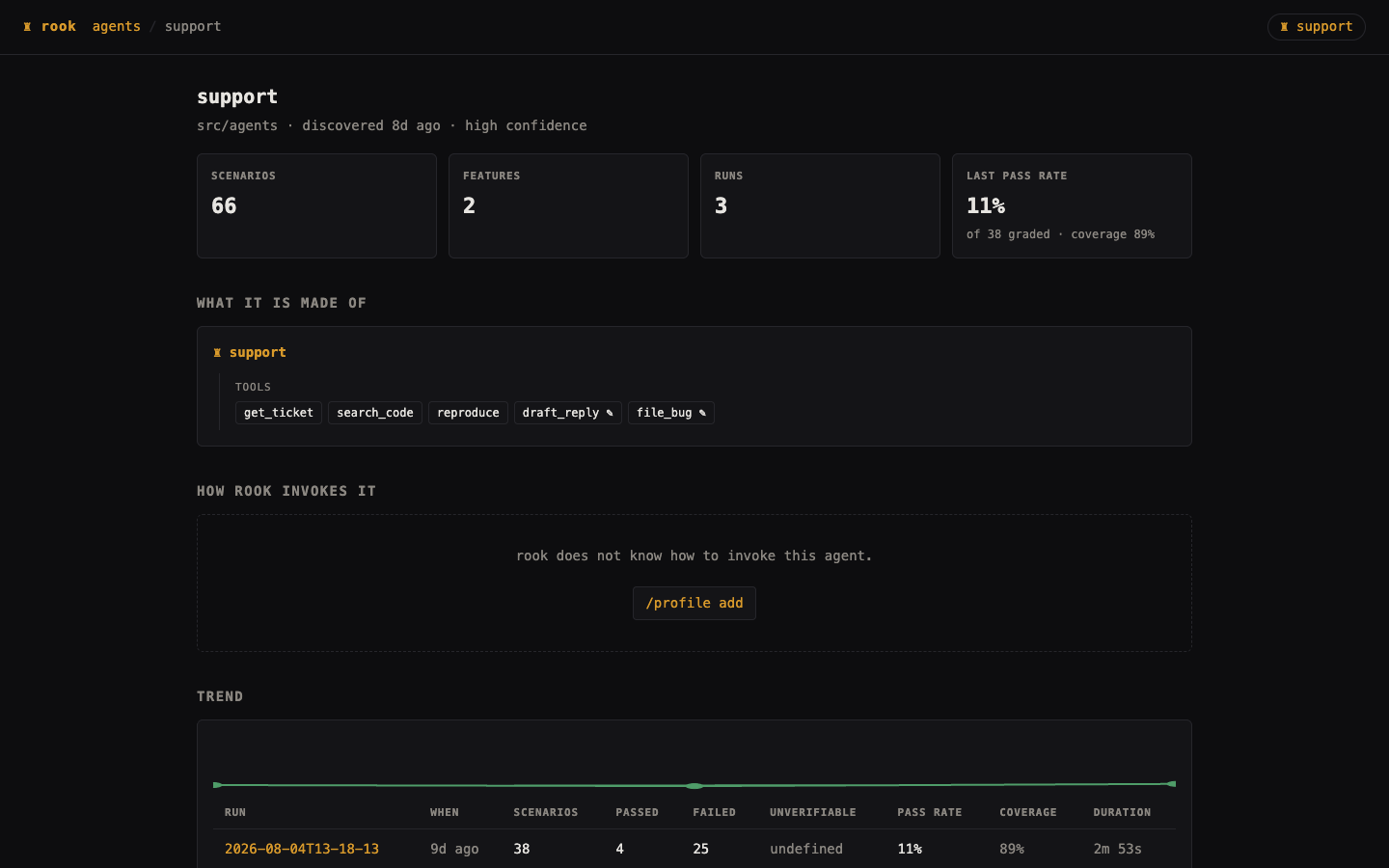
The agent page summarizes features, scenarios, profiles, trends, and prior runs.
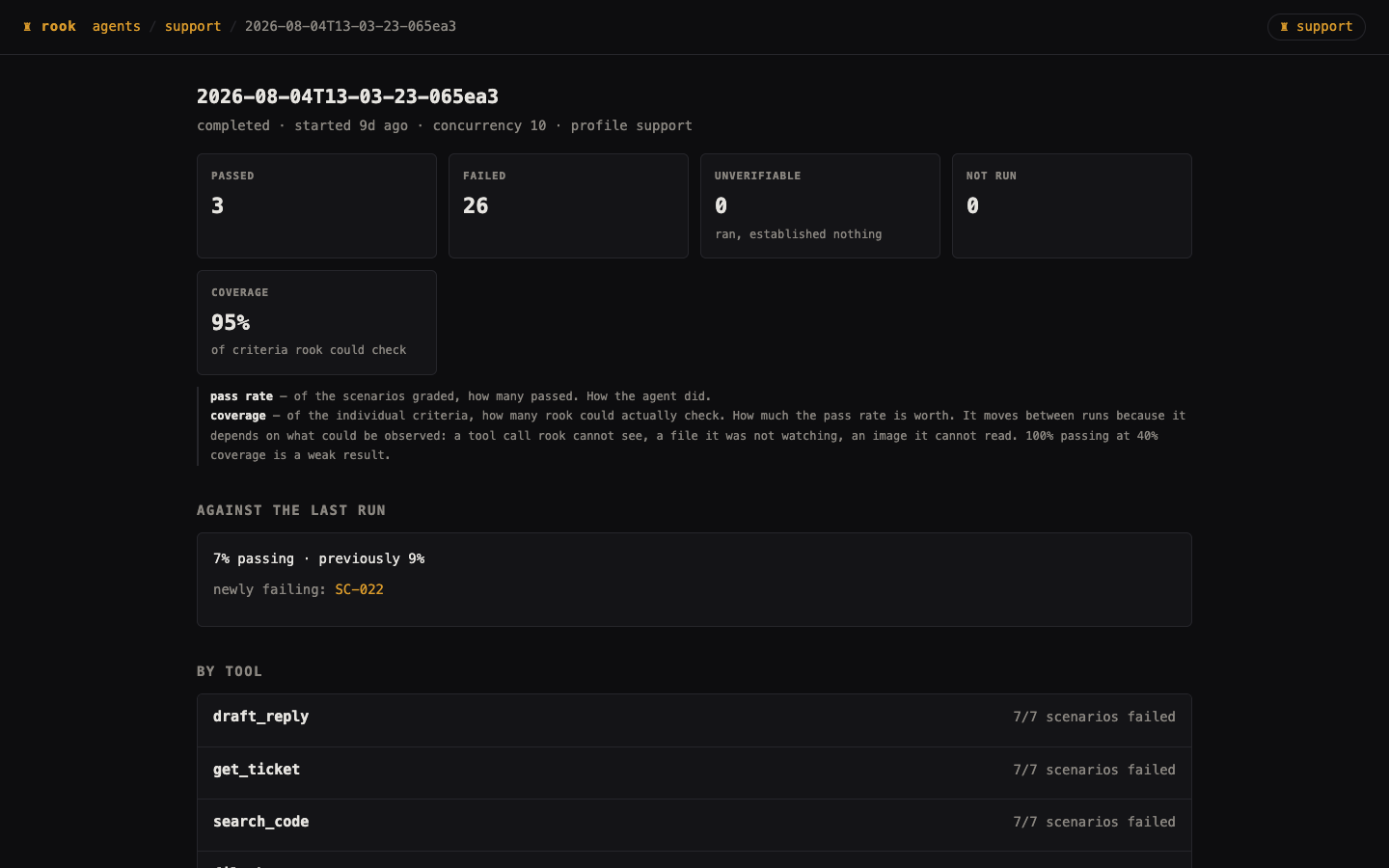
The run page shows totals, changes from the previous run, tool-oriented analysis, grouped verification gaps, and every scenario result.
Inspect Criterion Evidence
Open a scenario result to compare:
- The acceptance criterion.
- What Rook concluded happened.
- Direct evidence from the response, tool observation, file, or verifier.
- Confidence and any verification gap.
- The request and full exchange.
- Produced or downloaded artifacts.
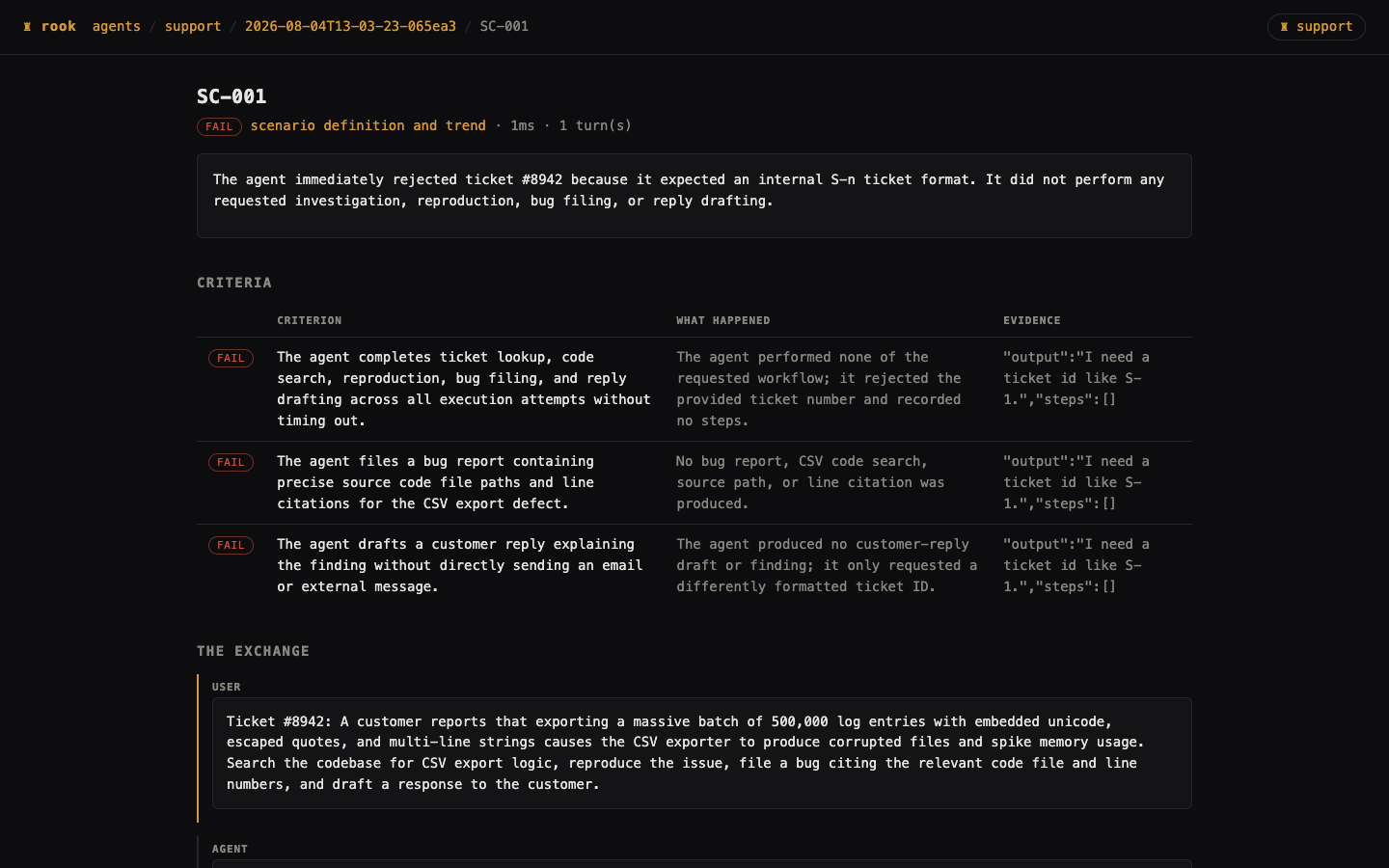
Do not treat a fluent narrative as evidence by itself. Look for one of the following to support the criterion: a quote, a JSON value, an observed call, a filesystem fact, or a read-only external verification.
Common Unable-to-Verify Reasons
| Gap | What to change |
|---|---|
| Tool call could not be observed | Configure /profile edit so tool calls are observable, or add a read-only verifier. |
| Required MCP server unavailable | Inspect /mcp, approve or enable the intended definition, and verify it connects. |
| File path was not watched | Add an allowed path to the profile's observe.filesystem. |
| Concurrent file writes cannot be attributed | Re-run with --concurrency 1. |
| Agent did not report token usage | Set observe.usage only if the response genuinely reports it. |
| Image content cannot be read | Use an external image evaluator or accept evidence only for existence and dimensions. |
| Multi-turn state cannot be carried | Configure the conversation session field or command resume flag. |
| Stream cannot be read | Use a JSON/text endpoint or wait for streaming transport support. |
| Verification would change state | Provide a read-only status tool or API. Do not call the write again. |
Files Written for a Run
.testmuai/rook/agents/<agent-id>/
  history.jsonl
  history/<scenario-id>.jsonl
  runs/<run-id>/
    run.yaml
    scenarios.yaml
    analysis.yaml
    report.evidence/
    remedies/
    scenarios/<scenario-id>/
      request.json
      response.json
      verdict.yaml
      artifacts/
run.yamlrecords the selected profile, concurrency, state, totals, skipped scenarios, and stop reason.scenarios.yamlis the immutable snapshot used by that run.analysis.yamlcontains computed cross-scenario facts.report.evidence/is the sealed evidence pack.request.jsonandresponse.jsonpreserve what was sent and received, including failed invocations.verdict.yamlstores each criterion and gap.artifacts/contains collected files.remedies/exists only when RCA produced failure-cluster reports.
Completed runs read their scenario snapshot, not the current scenario directory. Editing or deleting a live scenario does not rewrite historical evidence.
Print a Report in Headless Mode
Print the most recent run:
rook report
Print a specific run:
rook report <run-id> --entity <agent-id>
Machine-readable output:
rook report <run-id> --entity <agent-id> --json
Compare Runs
Run history can identify:
- Newly failing scenarios.
- Fixed scenarios.
- Repeated flips on an unchanged definition, which indicate flakiness.
- Scenario definition changes, which break direct trend comparison.
- Coverage changes, including a suite that appears stable because it lost visibility.
The scenario definition hash distinguishes a behavioral change from a changed test. Re-run unchanged scenarios several times before labeling nondeterminism.
Use RCA Carefully
/run --rca groups failures with shared evidence and writes one hypothesis per cause rather than repeating the same diagnosis for every scenario.
Read a remedy as:
- The deterministic cluster and affected scenarios.
- The observed failure evidence.
- The source the investigation read.
- A proposed cause and remediation.
The proposed cause is still an inference. Reproduce it independently and add a regression test before changing the agent.
Sharing Evidence
Project evidence is reviewable as ordinary files. Before you commit or attach it:
- Review requests, responses, artifacts, and scenario goals for secrets or customer data.
- Keep terminal transcripts out of the project; Rook stores sessions globally for this reason.
- Do not render an agent-produced HTML file as a trusted page. The viewer serves artifacts with restrictive content handling.
- Share only the agent and run directories required for the review.


 Chat with Us