Test your AI Agents with the all-new Agent to Agent Testing
Platform.
Test your AI Agents with the all-new Agent to Agent Testing
Platform. 


Basics of Accessibility Testing

Dileep Marway
Posted On: September 29, 2022
5 Min


What is it?
It is a software testing type performed to ensure that the application being tested is usable for users who may or may not have an impairment. This is a subset of usability testing.
The aim is to make the software more accessible to all people, whether they have an impairment or not, and it is also known as ‘a11y’.
When sites are designed, developed, and edited correctly, all users should have equal access to information and functionality. There should not be functionality that is only accessible to one type of user.
Why should we all care about accessibility?
- Increase the market share of your product
- Aid usability
- Assist all types of users
- Means more maintainable code
- Increases your SEO
- Ensure that you maintain your loyal customer base
- Maintains brand value
- Avoid lawsuits
Accessibility testing myths (not true)
- Creating an accessible site is expensive.
- Creating an accessible site means we cannot release at pace.
- Accessibility is plain and boring.
- We should not care about such a small client base.
Incorrect, there are many free tools and it does not cost a lot of money.
Incorrect, accessibility can be built into our CI/CD and we can release software at pace.
For me personally, it is part of software quality and it is really interesting, especially with all of the advancements in the past few years.
Incorrect, the customer base is a lot larger than you may think. There is evidence in the US that this user base can be up to 40% of a company’s clientele.
Accessibility should be built into our daily development practices
In 2019, the US Supreme Court handed victory to a blind man who sued Domino’s (pizza outlet) over site accessibility. The blind man was unable to order food on Domino’s website and mobile app despite using a screen reader. I’m sure the site is now accessible!
This was a massive turning point in the US and it was a big win for accessibility advocates.
Since 2019 – many Fortune 500 companies have been sued as their products were not open to all types of users. Now companies are really pushing to ensure that they are accessibility compliant – if you go on a website and see an accessibility badge, this implies compliance.
What type of accessibility legislation currently exists
US – Americans with disabilities act – 1990
UK – Disability discrimination act – 1995
AUS – Disability discrimination act – 1992
IRELAND – Disability act – 2005
Legislation exists to protect users and software created for this clientele base should adhere accordingly.
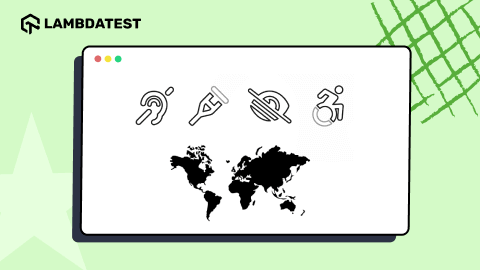
Types of impairments to support
- Vision – complete blindness/color blindness or poor vision
- Visual – like light strobe and flashing effect problems
- Physical – not able to use the mouse or keyboard with one hand/poor motor skills like hand movements and muscle slowness.
- Cognitive – learning difficulties/poor memory/not able to understand more complex scenarios.
- Literacy – reading problems.
- Hearing – auditory problems like deafness and hearing problems/cannot hear.
Accessibility guidelines
Web content accessibility guidelines 2.0 (WCAG) – is the key guideline whereby you can review compliance against key checklists for your testing needs.
Content accessibility is based on:
- Perceivability – content and UI should be presented in the most suitable way.
- Operability – Able to encounter no blockers when navigating.
- Understanding – It is easy to understand the content and UI.
- Robustness – the site is robust and functional.
QA checklist for accessibility testing
Techniques that can help users to access web content:
- Screen reader
- Web accessibility toolbar (WAT)
- Screen magnifier
- Bluetooth keyboard
- Speech recognition tools
My recommendation to QA professionals is to buy these peripherals in your device repository and start to add use cases from an accessibility view point. I learned a lot myself personally by using a screen reader and it helped me when I was an engineer to test from a user perspective.
Useful online tools for testing accessibility standards
- Web accessibility toolbar (WAT)
- WAVE
- Deque
- Color contrast analyser
I personally have used deque and I must say that their product and independent review was game changing. Knowing what level your website or app is at is key, though they provide expertise to ensure that you know how to stay at that desired level.
Advice for Engineers
My advice to engineers is that we should all care about quality in a team.
I would recommend that you study the accessibility standards – WCAG 2.0 guidelines and make a A11y project checklist.
Also, in my past role we got our DevSecOps team to make the accessibility tool part of our code commit lifecycle. While we still had to test accessibility aspects manually, it still helped to catch key accessibility red flags which would have hindered a user.
Another recommendation is to make accessibility a requirement by creating a user story for each sprint and project. I have personally found this useful as it means that there is a reminder that we should be releasing at the end of a sprint to compliance.
As mentioned above, make basic accessibility testing part of the quality assurance or user acceptance testing process.
Conclusion
We should all care about accessibility in our software with the main aspect being that all users should have equal access to information and functionality.
Why don’t you start by seeing whether the software that you produce is inclusive or not?

Author
Dileep Marway is a seasoned CTO and Engineering Leader with over 19 years of experience in driving digital transformation and strategic innovation across various sectors. He is a Trustee at the Black Country Living Museum and has previously served as an Advisor for Harvard Business Review and a former member of the Forbes Technology Council. As the Founder of Be More Meerkat, Dileep specializes in technology consultancy, quality assurance, and organizational change. He has successfully led large-scale digital transformations, focusing on cloud technologies, enterprise architecture, and Agile methodologies. Dileep is also a prominent leadership and tech blogger, followed by over 4,300 professionals in the tech, QA, and AI-driven communities on LinkedIn.
Blogs: 16