 Test your AI Agents with the all-new Agent to Agent Testing Platform.Learn More
Power Your Software Testing with AI and Cloud
Supercharge QA with AI for Faster & Smarter Software Testing


Katalon Automation Capabilities Generator
Accelerate your testing with our AI Katalon test case generator.
 Code Tidy
 Data Format
 Random Data
 Security Tools
 Utils
Utils
Output
🧩 Prerequisites
- Katalon Studio v10 or above installed
- Your LambdaTest username and access key (LambdaTest Automation)
⚙️ Steps to Configure Katalon with LambdaTest
1. Open Katalon Studio
Launch Katalon Studio v10 on your system.
2. Create a New Project (Optional)
If you’re starting a new project, follow these steps:
- Open Katalon Studio.
- In the New Project dialog:
- Add a name for your project.
- Choose the project type (e.g., Web or Mobile)
- Optionally, you can select a pre-built project provided by Katalon, such as the "Shopping Cart" project, by clicking on Start with Shopping Cart (or another pre-built example).
- Click OK. Your project will be cloned and opened for configuration.
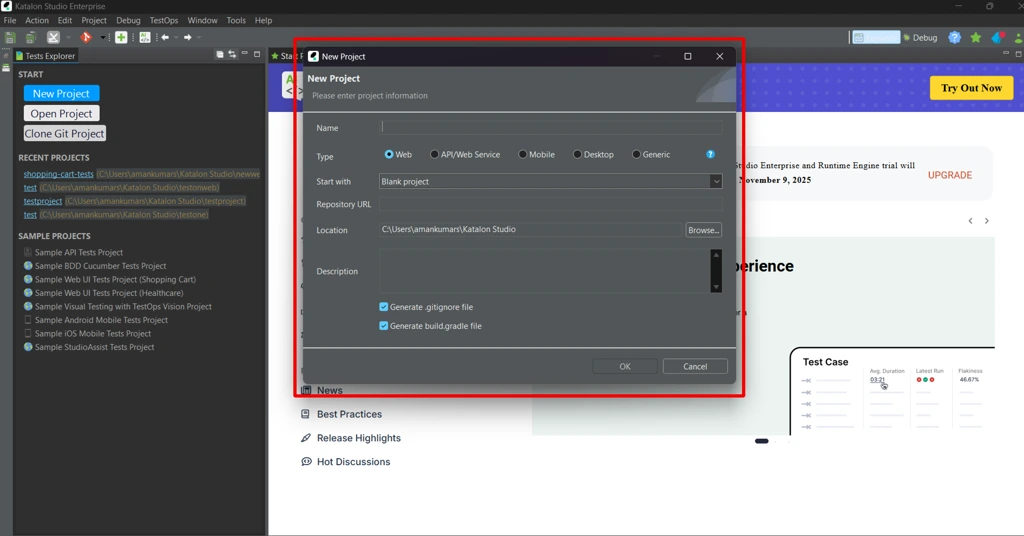
3. Choose Your Project
Open the project in Katalon Studio v10 you want to configure with LambdaTest.
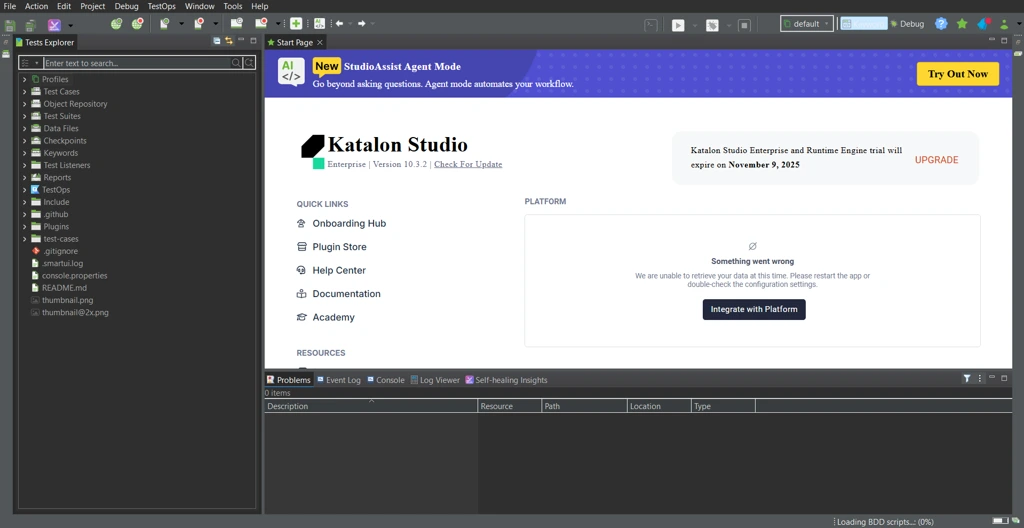
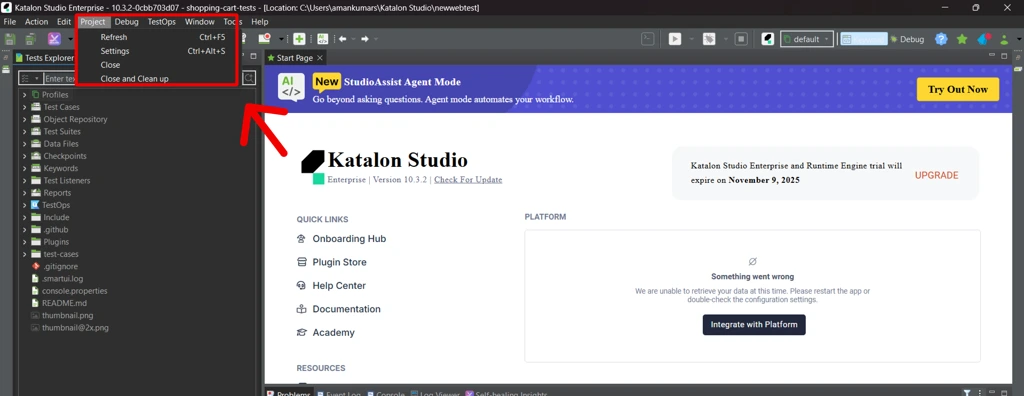
4. Open Project Settings
Navigate to:
Project → Settings
or use the shortcut Ctrl + Alt + S
5. Go to Desired Capabilities
In the left panel, click on:
Desired Capabilities
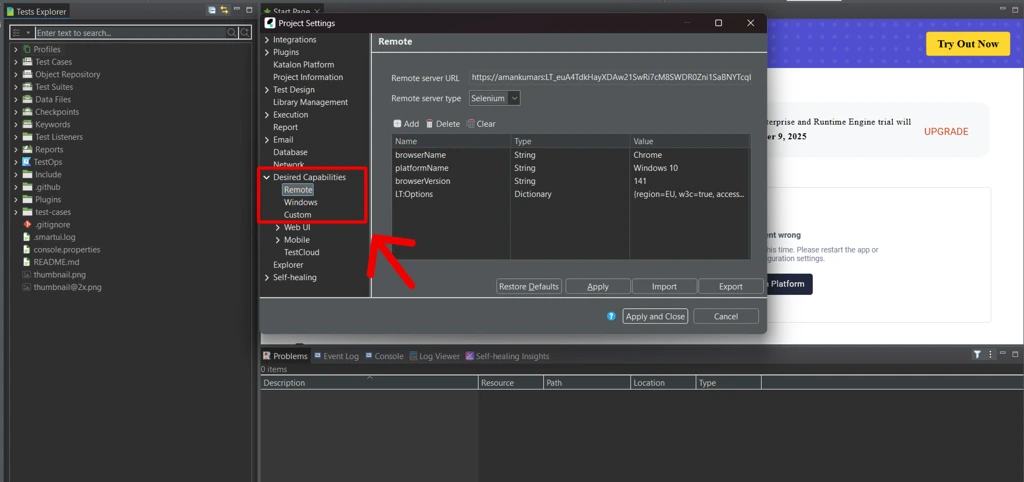
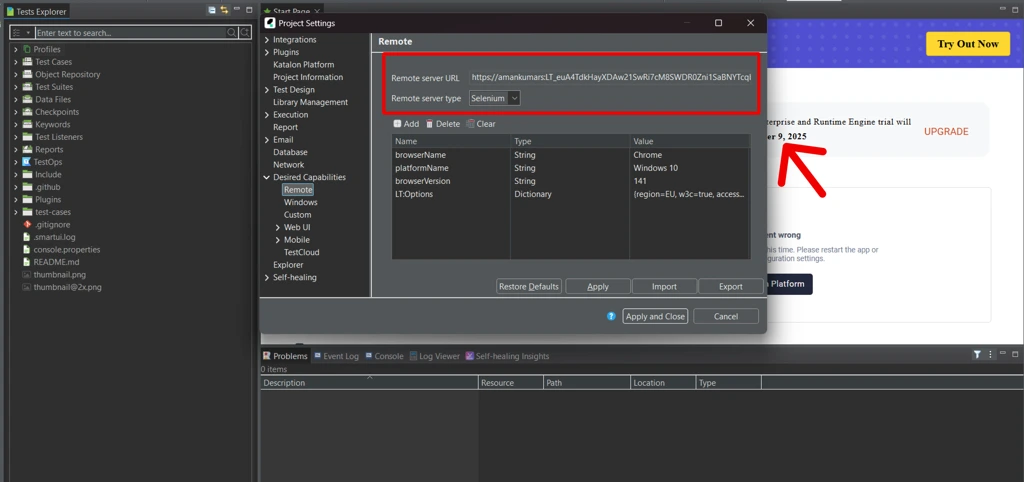
6. Configure Remote Server Settings
- Click on the Remote section under Desired Capabilities.
- Set the following fields:
- Remote Server URL: https://{username}:{accessKey}@hub.lambdatest.com/wd/hub
- (Replace {username} and {accessKey} with your LambdaTest credentials.)
- Remote Server Type:
- Select Selenium for Web Testing
- Select Appium for Mobile Testing
7. Define Desired Capabilities
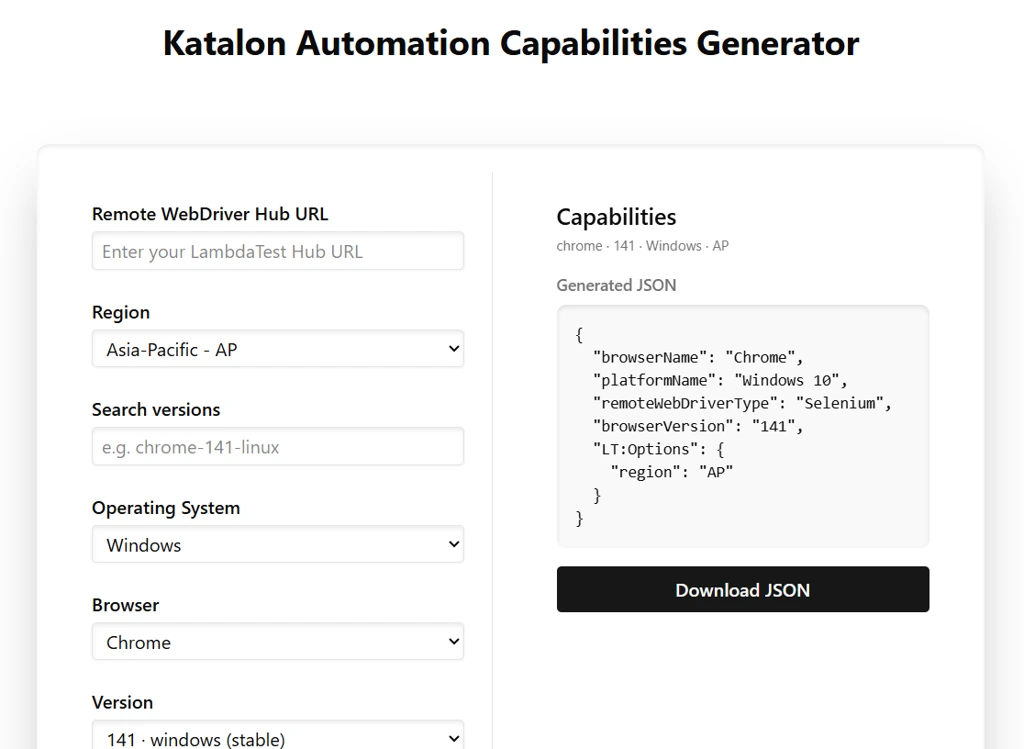
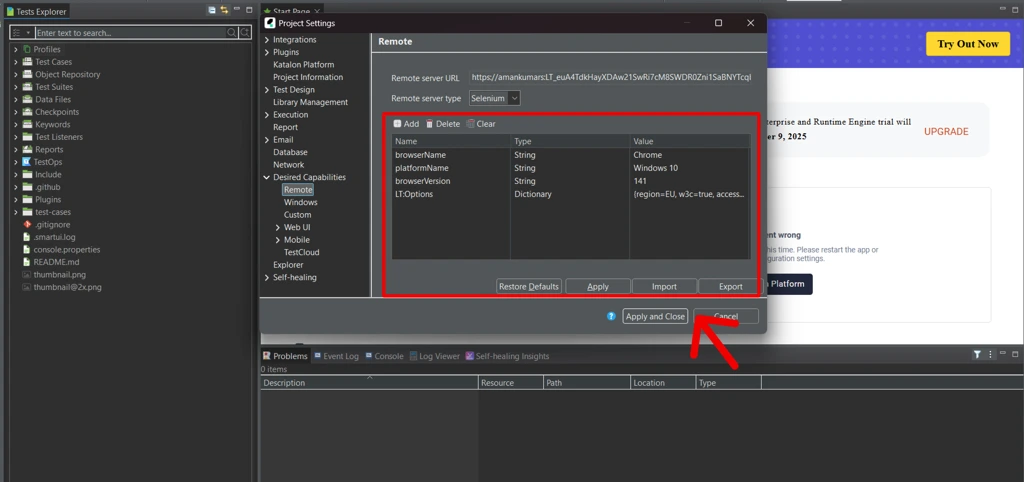
You can generate capabilities using the Katalon Automation Capabilities Generator and import it directly or manually use the following JSON example:
JSON Example
{
"browserName": "Chrome",
"platformName": "Windows 10",
"remoteWebDriverType": "Selenium",
"browserVersion": "141",
"LT:Options": }
"region": "AP"
}
}
After entering your desired capabilities, click on Apply and Close.
8. Run Your Test Case
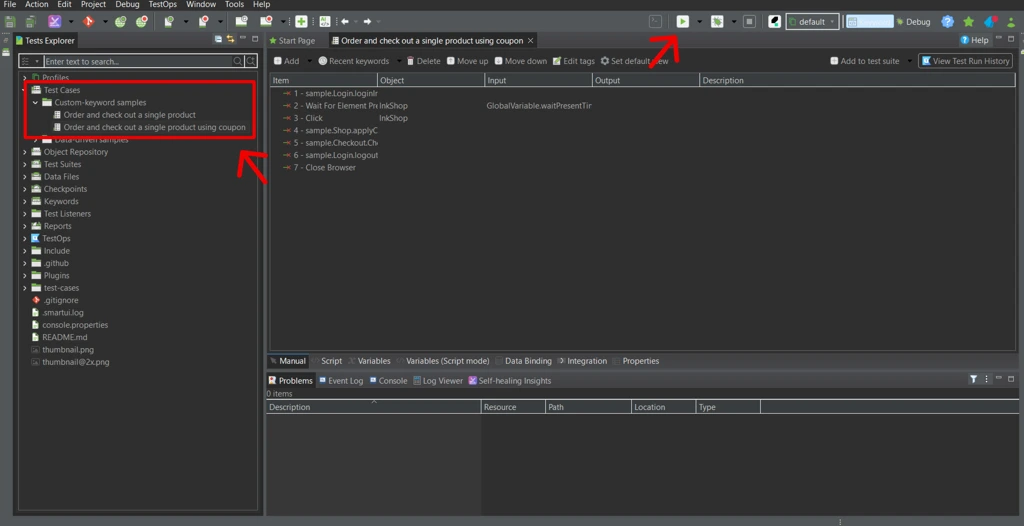
- Select your test case from the Test Explorer.
- Click on the Run button dropdown and choose Remote as the execution environment.
- You will now see your test execution in progress on right-hand side in Job progress panel.
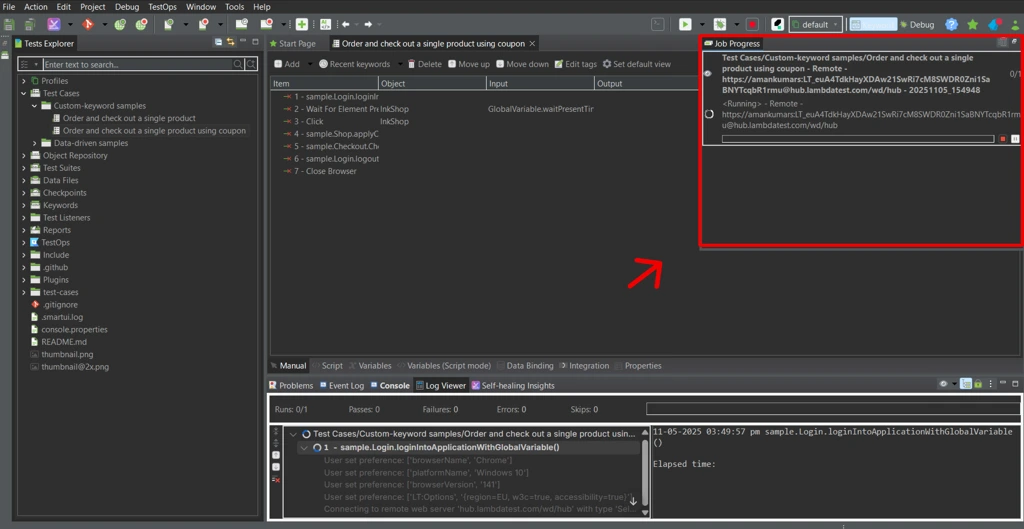
✅ Verification
Once the execution starts, navigate to your LambdaTest Automation Dashboard to view live test execution, logs, and reports.
Did you find this page helpful?


More Tools
 Code Tidy
 Data Format
 Random Data
 Hash Calculators
 Utils
Utils

Start your journey with LambdaTest
Get 100 minutes of automation test minutes FREE!!